How to Calculate the Business Impact of Downtime to Justify DR Investment
July 22, 2026
The Complete Guide to Ransomware Recovery Planning for Cloud Infrastructure
July 22, 2026
Why Cloud-Native Disaster Recovery Eliminates the Need for Secondary Data Centers
In today’s fast-paced digital landscape, businesses rely heavily on their data and applications to drive operations and maintain a competitive edge. As organizations expand their digital footprint, the need for robust disaster recovery strategies grows paramount. Traditional disaster recovery methods, often reliant on secondary data centers, can be costly, complex, and inefficient. This is where cloud-native disaster recovery solutions come into play, offering a more streamlined and effective approach. In this comprehensive guide, we will explore how cloud-native disaster recovery eliminates the need for secondary data centers, saving organizations time and money while enhancing resilience and operational efficiency.
What is Cloud-Native Disaster Recovery?
Cloud-native disaster recovery (DR) refers to the strategies and technologies that leverage cloud computing resources to protect applications and data from disruptions. Unlike traditional DR, which often involves maintaining a secondary physical data center, cloud-native DR utilizes the scalability, flexibility, and cost-effectiveness of cloud environments. This approach allows organizations to replicate their critical workloads in the cloud, ensuring that they can quickly recover from any outage or disaster.
Key characteristics of cloud-native disaster recovery include:
- Automation: Many cloud-native DR solutions automate backup and recovery processes, reducing the time and effort required to manage disaster recovery.
- Scalability: Organizations can easily scale their DR resources up or down based on their needs, avoiding the costs associated with underutilized secondary data centers.
- Geographic Redundancy: Cloud-native DR allows for data replication across multiple geographic locations, enhancing resilience against regional disasters.
Benefits of Cloud-Native Disaster Recovery
Implementing cloud-native disaster recovery offers numerous advantages over traditional methods:
1. Cost Efficiency
Maintaining a secondary data center can be prohibitively expensive. Organizations must invest in hardware, software, and ongoing maintenance costs. Cloud-native DR eliminates these expenses by offering a pay-as-you-go pricing model, allowing businesses to only pay for the resources they use. This can significantly reduce operational costs.
2. Improved Recovery Time Objectives (RTO) and Recovery Point Objectives (RPO)
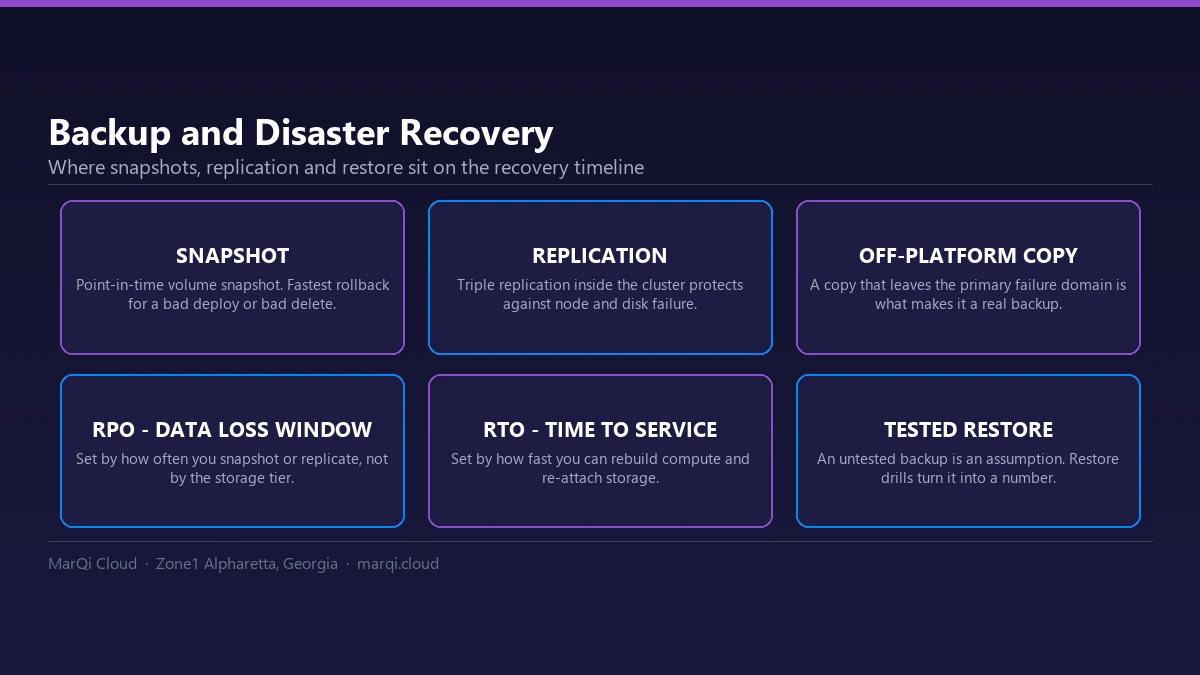
Cloud-native solutions can provide faster recovery times due to their automated nature and the ability to leverage cloud resources. This means that organizations can meet stricter RTO and RPO requirements, minimizing downtime and data loss during a disaster.
3. Simplified Management
Managing a secondary data center requires significant IT resources and expertise. Cloud-native DR solutions simplify management through centralized dashboards and automated processes, allowing IT teams to focus on more strategic initiatives rather than routine maintenance.
4. Enhanced Security
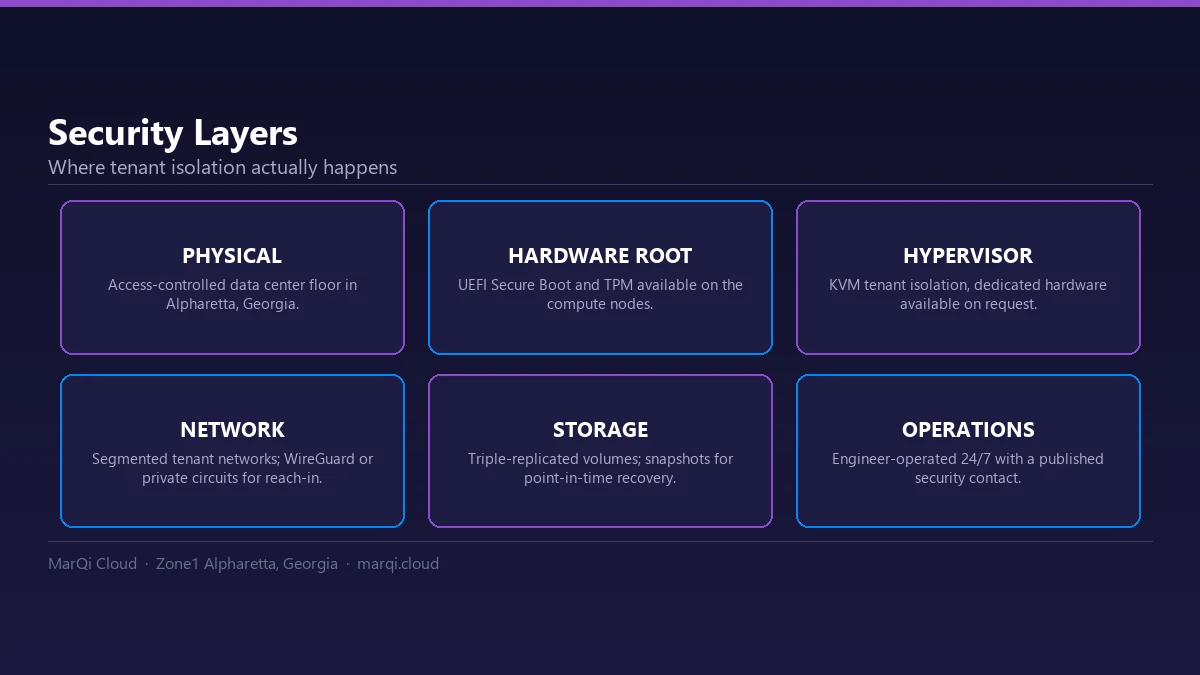
Cloud providers invest heavily in security measures, including data encryption, access controls, and compliance certifications. By utilizing cloud-native DR, organizations can benefit from these advanced security features, reducing their risk of data breaches during recovery efforts.
5. Flexibility and Scalability
Cloud-native DR solutions allow organizations to scale their disaster recovery resources according to their needs. As businesses grow or change, they can adjust their DR strategies without the constraints of physical infrastructure.
How Cloud-Native Disaster Recovery Works
Understanding how cloud-native disaster recovery operates is essential for organizations looking to implement this strategy. The process typically involves the following steps:
1. Assessing Business Needs
The first step in any disaster recovery strategy is to assess the organization’s unique business needs, including identifying critical applications, data, and compliance requirements. This assessment will inform the design of the cloud-native DR solution.
2. Selecting the Right Cloud Provider
Choosing a reliable cloud provider is crucial for effective cloud-native DR. Organizations should evaluate providers based on their performance, security, compliance, and support. MarQi Cloud, for instance, offers enterprise-grade cloud infrastructure tailored for hybrid deployments, making it an excellent choice for businesses seeking robust DR solutions.
3. Implementing Data Replication
Data replication is a core component of cloud-native DR. Organizations can choose to replicate their data in real-time or on a scheduled basis, depending on their RPO requirements. This ensures that the most recent data is always available for recovery.
4. Testing the DR Plan
Regular testing of the disaster recovery plan is essential to ensure its effectiveness. Organizations should conduct scheduled drills to simulate various disaster scenarios, validating that their cloud-native DR strategy meets RTO and RPO goals.
5. Continuous Monitoring and Optimization
Once the cloud-native DR solution is implemented, continuous monitoring and optimization are necessary to adapt to changing business needs. Organizations should regularly review their DR strategy, making adjustments as required.
Cost Comparison of Disaster Recovery Solutions
To illustrate the cost benefits of cloud-native disaster recovery over traditional secondary data centers, consider the following comparison:
| Aspect | Traditional Secondary Data Center | Cloud-Native Disaster Recovery |
|---|---|---|
| Initial Setup Costs | High (hardware, software, facilities) | Low (pay-as-you-go model) |
| Maintenance Costs | Ongoing (staff, utilities, equipment) | Minimal (cloud provider handles maintenance) |
| Scalability | Limited by physical infrastructure | Flexible (scale resources as needed) |
| Disaster Recovery Time | Longer (manual processes) | Faster (automated recovery) |
| Geographic Redundancy | Requires multiple locations | Built-in with cloud providers |
As shown in the table above, cloud-native disaster recovery offers a more cost-effective and efficient solution for businesses compared to traditional secondary data centers.
Best Practices for Implementing Cloud-Native DR
To maximize the benefits of cloud-native disaster recovery, organizations should follow these best practices:
- Conduct a Thorough Risk Assessment: Understand potential risks to your data and applications to prioritize your disaster recovery efforts.
- Define Clear RTO and RPO Goals: Establish realistic recovery time and point objectives based on business needs.
- Choose the Right Cloud Provider: Evaluate cloud providers based on their capabilities, security, and support. Consider MarQi Cloud for enterprise-grade solutions.
- Regularly Test Your DR Plan: Conduct disaster recovery drills to ensure your plan is effective and up-to-date.
- Continuously Monitor and Optimize: Regularly review and optimize your DR strategy to adapt to changing business needs.
Common Misconceptions About Cloud-Native DR
Despite the growing adoption of cloud-native disaster recovery, several misconceptions persist:
1. Cloud-Native DR is Only for Large Enterprises
Many small and mid-sized businesses can benefit from cloud-native DR solutions. The scalability and cost-effectiveness make it accessible for organizations of all sizes.
2. Cloud-Native DR is Too Complex
While cloud-native DR may seem complex, many providers offer user-friendly interfaces and automated processes that simplify management.
3. Data Security is Compromised in the Cloud
Cloud providers invest heavily in security measures, often providing better protection than traditional on-premises solutions.
Frequently Asked Questions
1. What is the difference between traditional disaster recovery and cloud-native disaster recovery?
Traditional disaster recovery involves maintaining a secondary physical data center, while cloud-native disaster recovery leverages cloud resources for data replication and recovery.
2. How does cloud-native disaster recovery improve recovery time?
Cloud-native solutions automate recovery processes, allowing for faster restoration of applications and data compared to manual processes in traditional methods.
3. Can small businesses use cloud-native disaster recovery?
Yes, cloud-native disaster recovery is scalable and cost-effective, making it suitable for businesses of all sizes.
4. How often should I test my disaster recovery plan?
Organizations should conduct regular testing, ideally at least once or twice a year, to ensure the effectiveness of their disaster recovery plan.
5. What are RTO and RPO?
RTO (Recovery Time Objective) is the target time to restore operations after a disaster, while RPO (Recovery Point Objective) is the maximum acceptable amount of data loss measured in time.
6. How secure is cloud-native disaster recovery?
Cloud providers implement robust security measures, including encryption and access controls, making cloud-native DR often more secure than traditional methods.
7. What cloud providers offer disaster recovery solutions?
Many cloud providers offer disaster recovery services. MarQi Cloud is a great option for businesses seeking reliable cloud-native DR solutions.
8. Is cloud-native disaster recovery expensive?
Cloud-native disaster recovery can be more cost-effective than traditional methods due to its pay-as-you-go pricing model and reduced maintenance costs.
9. Can I integrate my existing infrastructure with cloud-native disaster recovery?
Yes, many cloud-native DR solutions can seamlessly integrate with existing on-premises infrastructure, allowing for a hybrid approach.
10. What is the role of automation in cloud-native disaster recovery?
Automation improves efficiency by streamlining backup and recovery processes, reducing the manual effort required for disaster recovery.
11. How can I ensure compliance with regulations using cloud-native disaster recovery?
Choose a cloud provider that complies with relevant regulations and standards, and ensure that your disaster recovery plan aligns with compliance requirements.
12. What steps should I take to begin implementing cloud-native disaster recovery?
Start by assessing your business needs, selecting a cloud provider, implementing data replication, and regularly testing your disaster recovery plan.
Conclusion
Cloud-native disaster recovery presents a transformative solution for organizations seeking to enhance their resilience and operational efficiency. By eliminating the need for secondary data centers, businesses can significantly reduce costs, improve recovery times, and simplify management. As digital landscapes continue to evolve, embracing cloud-native strategies will be essential for organizations aiming to safeguard their critical data and applications. For more information on implementing cloud-native disaster recovery, contact MarQi Cloud today.