The Complete MarQi Cloud Docker Deployment Guide for Production Environments
April 25, 2026MarQi Cloud for Python Developers: The Fastest Way to Deploy ML Applications
April 25, 2026
How to Host a High-Performance Redis Cluster on MarQi Cloud Bare Metal
In today’s data-driven world, businesses are constantly looking for ways to improve their application performance and scalability. Redis, an open-source, in-memory data structure store, has become a popular choice for caching, session management, and real-time analytics due to its speed and efficiency. When combined with the power of MarQi Cloud’s bare metal infrastructure, hosting a high-performance Redis cluster can significantly enhance your application’s responsiveness and reliability. In this article, we will guide you through the steps to set up a Redis cluster on MarQi Cloud’s enterprise-grade infrastructure, ensuring optimal performance and security.
Understanding Redis and Its Benefits
Redis stands for Remote Dictionary Server, and it operates as a key-value store that allows for high-speed data retrieval. Its in-memory data storage capability means that data can be accessed and manipulated much faster than traditional disk-based databases. Here are some key benefits of using Redis:
- High Performance: Redis delivers sub-millisecond response times, making it ideal for applications requiring quick access to data.
- Scalability: Redis can handle thousands of operations per second, allowing it to scale with your business needs.
- Versatility: Redis supports various data structures like strings, hashes, lists, sets, and more.
- Persistence: With Redis, you can choose between in-memory storage for speed or persistent storage for durability.
Why Choose MarQi Cloud Bare Metal for Redis
When it comes to hosting a Redis cluster, the choice of infrastructure can significantly impact performance. MarQi Cloud offers several advantages:
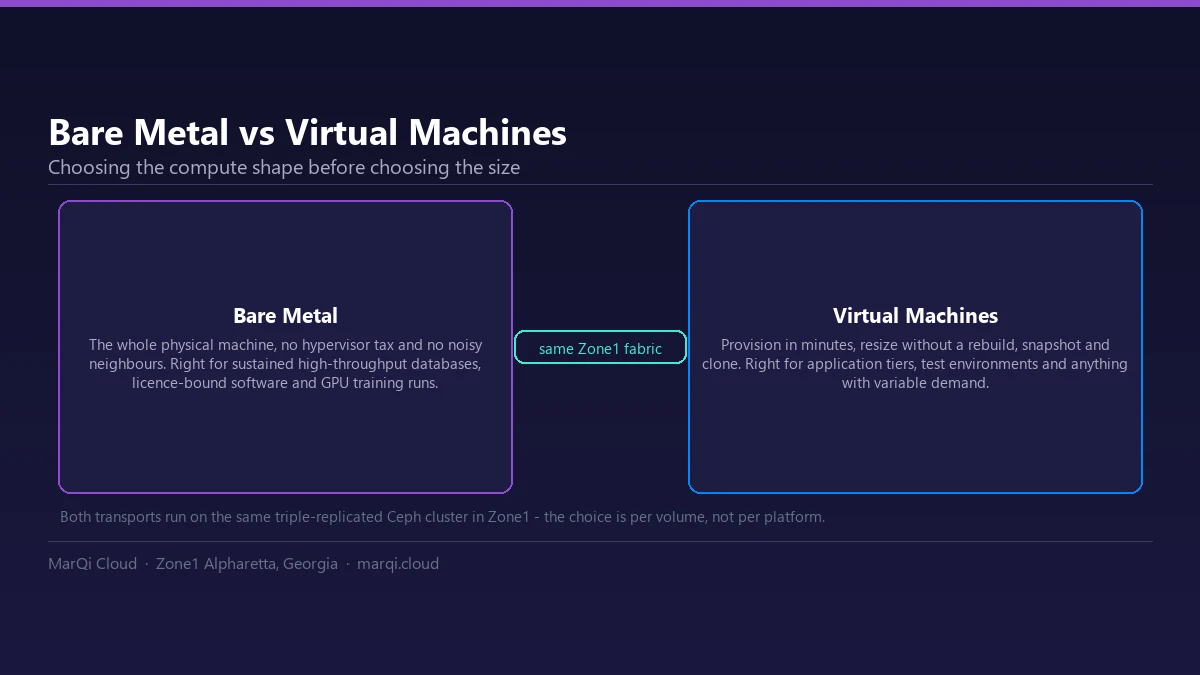
- Enterprise-Grade Infrastructure: Our bare metal servers provide dedicated resources without the overhead of virtualization, resulting in improved performance.
- Hybrid Cloud Deployment Models: Flexibility to deploy your Redis cluster in a hybrid environment, optimizing costs and performance.
- Private and Secure Hosting Environments: Enhanced security features protect your data and applications from unauthorized access.
- Scalable Compute and Storage Resources: Easily scale your resources as your application’s demands grow.
- US-Based Infrastructure and Support: Our infrastructure and customer support are based in the US, ensuring reliability and responsiveness.
Setting Up a Redis Cluster on MarQi Cloud
Now that you understand the benefits of Redis and MarQi Cloud, let’s dive into the step-by-step process of setting up your Redis cluster.
Step 1: Provision Bare Metal Servers
To get started, you’ll need to provision several bare metal servers on MarQi Cloud. The number of servers will depend on your expected workload and redundancy requirements. Here’s how to do it:
- Log in to your MarQi Cloud account.
- Select the option to create a new server.
- Choose the bare metal server type that suits your needs, considering CPU, RAM, and network specifications.
- Configure your server settings, including the operating system (Linux is recommended for Redis).
- Launch your servers and note down their IP addresses.
Step 2: Install Redis
Once your servers are up and running, the next step is to install Redis on each server. You can do this using SSH to access each server and the following commands:
- Update your package manager:
sudo apt-get update- Install Redis:
sudo apt-get install redis-server- Verify the installation:
redis-server --version
Step 3: Configure Redis for Clustering
After installing Redis, you need to configure it for clustering. Here’s how:
- Edit the Redis configuration file:
sudo nano /etc/redis/redis.conf- Update the following settings:
- cluster-enabled to yes
- cluster-config-file to a file name (e.g., nodes.conf)
- cluster-node-timeout to an appropriate value (e.g., 5000)
- Ensure protected-mode is set to no for cluster nodes.
- Save and exit the file.
- Restart Redis for the changes to take effect:
sudo systemctl restart redis-server
Step 4: Create the Redis Cluster
Now that each Redis instance is configured, you can create the cluster. Use the following command from one of the Redis nodes:
- Use the Redis CLI to create the cluster:
redis-cli --cluster create:6379 :6379 :6379 --cluster-replicas 1 - This command will set up a cluster with one replica for each master node.
Step 5: Test the Redis Cluster
After creating the cluster, it’s essential to test it to ensure it operates correctly. Use the Redis CLI to check the cluster status:
- Run the following command:
redis-cli -c -h-p 6379 cluster info - This will provide you with information about your cluster’s health and configuration.
Step 6: Optimize Performance
To ensure your Redis cluster operates at peak performance, consider the following optimizations:
- Use SSDs: Deploy your Redis instances on SSDs for improved read and write speeds.
- Adjust Memory Limits: Configure the maxmemory directive in your Redis configuration to ensure optimal memory usage.
- Monitor Performance: Implement monitoring tools like Redis Monitor or APM solutions to track performance metrics.
Business Continuity and Disaster Recovery
Implementing a business continuity and disaster recovery strategy is crucial for any application. MarQi Cloud offers various solutions to ensure your Redis cluster remains resilient:
- Regular Backups: Schedule regular backups of your Redis data to prevent data loss.
- Node-Level Redundancy: Run Redis replicas on separate MarQi Cloud instances in Zone1; spreading the cluster across zones becomes an option once the second zone, now under construction, opens.
- Disaster Recovery Plans: Develop and test disaster recovery plans to ensure quick recovery in case of a failure.
Conclusion
Hosting a high-performance Redis cluster on MarQi Cloud bare metal is a strategic choice for businesses that demand speed, reliability, and security. By following this guide, you can set up and optimize your Redis cluster to meet your application needs. With MarQi Cloud’s enterprise-grade infrastructure, you can focus on growing your business while we handle the complexities of cloud hosting.
FAQ
1. What is Redis used for?
Redis is commonly used for caching, real-time analytics, and session management due to its high-speed data access capabilities.
2. How does a Redis cluster work?
A Redis cluster allows you to distribute data across multiple Redis nodes, improving performance and redundancy.
3. Why use MarQi Cloud for Redis hosting?
MarQi Cloud offers enterprise-grade bare metal infrastructure, hybrid deployment options, and robust security features, making it ideal for hosting Redis.
4. Can I scale my Redis cluster on MarQi Cloud?
Yes, MarQi Cloud provides scalable compute and storage resources, allowing you to expand your Redis cluster as needed.
5. What are the benefits of using bare metal for Redis?
Bare metal servers provide dedicated resources, leading to better performance and reduced latency compared to virtualized environments.
6. How do I secure my Redis cluster?
Implement security measures such as using firewalls, changing default ports, and enabling authentication for Redis instances.
7. What happens if one node in the Redis cluster fails?
Redis can automatically promote replicas to masters, ensuring availability and minimal disruption to services.
8. How can I monitor my Redis cluster’s performance?
Utilize monitoring tools like Redis Monitor or application performance management (APM) solutions to track key metrics and performance indicators.
9. Does MarQi Cloud provide support for Redis?
Yes, MarQi Cloud offers US-based support to assist you with any Redis-related inquiries or issues.
10. What is the cost of hosting Redis on MarQi Cloud?
MarQi Cloud provides flexible pricing models, allowing you to choose a plan that fits your budget and resource requirements.