Why 24/7 Cloud Infrastructure Support is Essential for Global Business Operations
August 28, 2026
Ultimate Guide: How Managed Cloud Security Services Provide Enterprise Protection Without a Large Security Team
August 29, 2026

What is managed cloud backup?
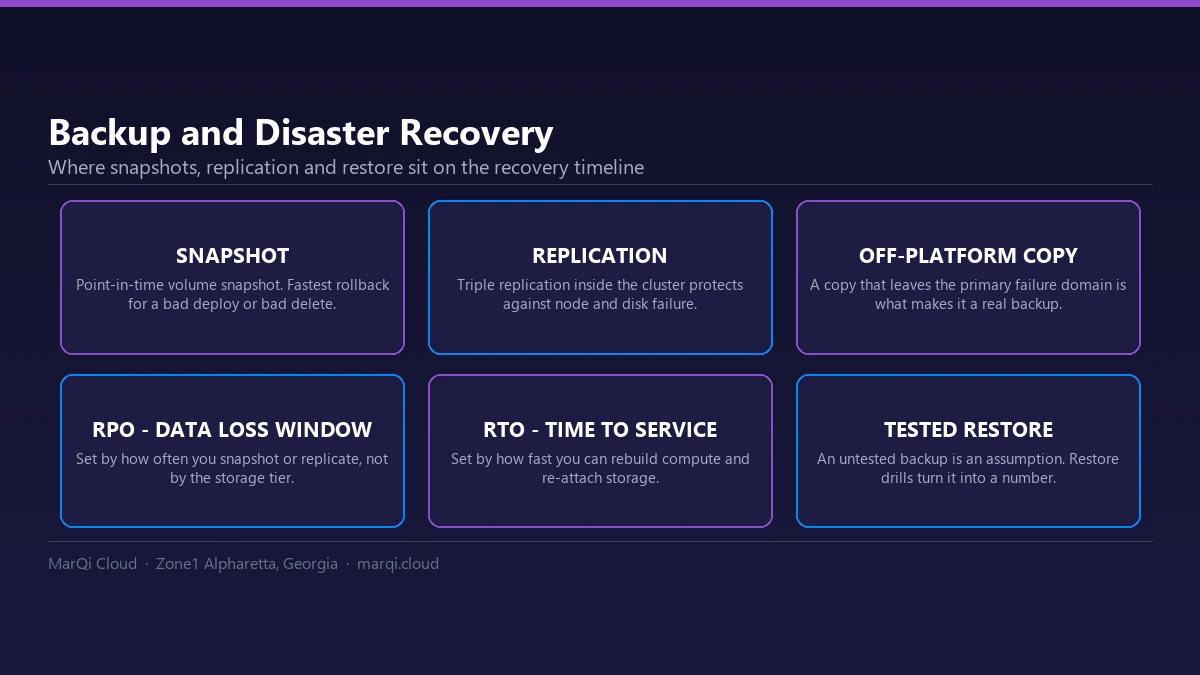
Managed cloud backup is the outsourcing of the backup process itself to a third-party provider, not only the storage it lands on. The provider runs the schedule, monitors whether jobs actually succeed, holds the retention policy and owns the restore path. That last part is the difference that matters: an unmanaged backup can run successfully for months and still fail the first time someone needs a restore.
The Complete Guide to Managed Cloud Backup and Recovery Services
In today’s digital landscape, data is the lifeblood of any organization. As businesses increasingly rely on digital systems, the importance of a robust backup and recovery solution cannot be overstated. Managed cloud backup and recovery services provide a comprehensive strategy to protect your data while ensuring business continuity. This complete guide will explore the intricacies of managed cloud backup solutions, outlining their benefits, key features, and how they differ from traditional backup methods. You will also learn how to choose the right service provider and implement a successful backup strategy to safeguard your enterprise data.
Understanding Managed Cloud Backup
Managed cloud backup refers to the outsourcing of data backup processes to a third-party service provider. These providers leverage cloud technology to store your data securely offsite, ensuring that it is both accessible and recoverable in the event of data loss due to accidental deletion, system failure, or cyberattacks.
Unlike traditional backup methods that involve physical media and onsite storage, managed cloud backup solutions offer scalability, flexibility, and enhanced security. Organizations can focus on their core operations while the provider manages the complexities of data backup and recovery.
Benefits of Managed Cloud Backup
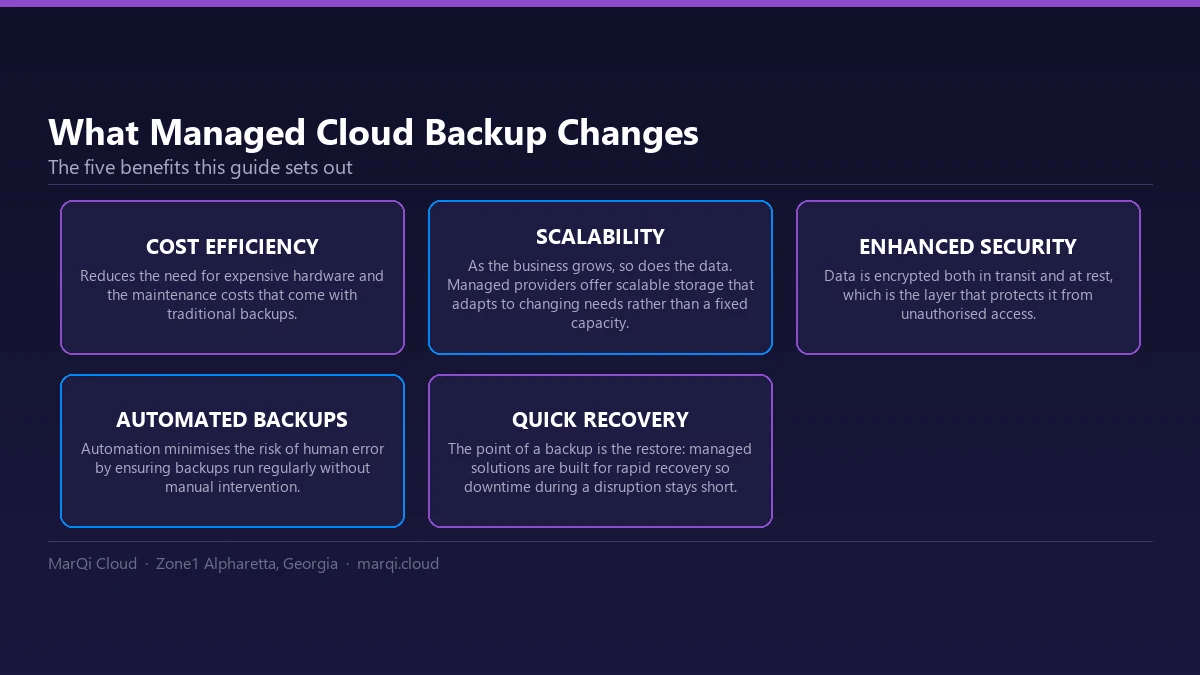
- Cost Efficiency: Managed cloud backup reduces the need for expensive hardware and maintenance costs associated with traditional backups.
- Scalability: As your business grows, so does your data. Managed providers offer scalable storage solutions that adapt to your changing needs.
- Enhanced Security: Data is encrypted both in transit and at rest, providing a robust layer of protection against unauthorized access.
- Automated Backups: Automation minimizes the risk of human error by ensuring regular backups without manual intervention.
- Quick Recovery: Managed cloud backup solutions facilitate rapid data recovery, minimizing downtime during disruptions.
Key Features of Managed Cloud Backup Services
When evaluating managed cloud backup services, consider the following key features:
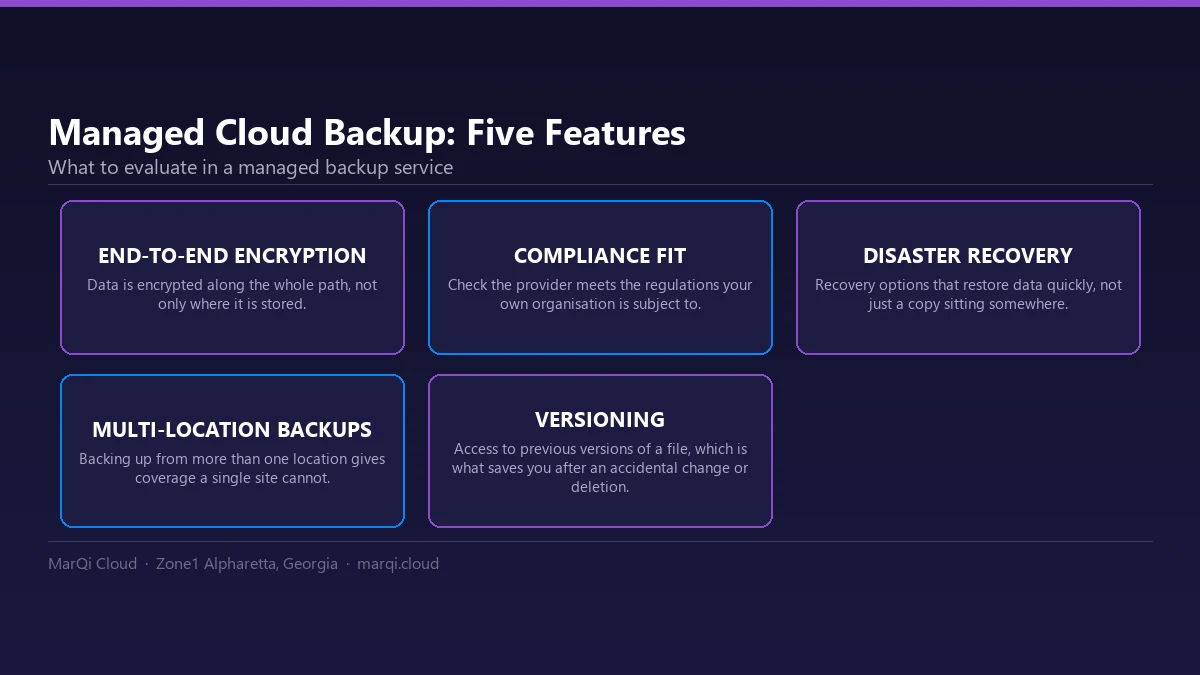
- Data Encryption: Look for solutions that provide end-to-end encryption to protect sensitive data.
- Compliance: Ensure that the provider complies with industry regulations such as HIPAA, GDPR, or PCI DSS.
- Disaster Recovery Options: A good service should include disaster recovery solutions that allow for quick restoration of data.
- Multi-Location Backups: The ability to back up data from multiple locations ensures comprehensive coverage.
- Versioning: This feature allows you to access previous versions of files, which is crucial in case of accidental changes or deletions.
How to Choose the Right Managed Cloud Backup Provider
Selecting the right managed cloud backup provider is critical for ensuring the safety and accessibility of your data. Here are some essential steps to guide your decision:
- Assess Your Needs: Evaluate your data volume, compliance requirements, and recovery time objectives (RTO).
- Research Providers: Look for reputable providers with experience in your industry. Check reviews, case studies, and testimonials.
- Compare Services: Analyze the features and pricing models of different providers. Ensure they align with your business requirements.
- Evaluate Customer Support: Reliable customer support is essential for resolving issues promptly. Check for 24/7 availability.
- Request Demos: Take advantage of free trials or demos to assess the user interface and functionality of the backup solution.
Implementing a Successful Backup Strategy
Once you have chosen a managed cloud backup provider, it’s time to implement a successful backup strategy:
- Define Your Backup Schedule: Determine how often backups should occur based on your data usage patterns and RTO.
- Set Retention Policies: Establish how long backup data should be retained to comply with legal and regulatory requirements.
- Test Recovery Processes: Regularly test the recovery process to ensure that data can be restored quickly and accurately.
- Monitor Backups: Use monitoring tools to track the success of backups and receive alerts for any failures or issues.
- Train Staff: Educate your team on the importance of data protection and their role in the backup strategy.
Comparison of Managed Cloud Backup Solutions
To illustrate the differences among various managed cloud backup solutions, consider the following comparison:
| Feature | Provider A | Provider B | Provider C |
|---|---|---|---|
| Data Encryption | Yes | Yes | No |
| Disaster Recovery | Included | Optional | Included |
| Multi-Location Backups | Yes | No | Yes |
| Compliance Support | HIPAA, GDPR | GDPR Only | HIPAA Only |
| Pricing | $$$ | $$ | $$$ |
Common Mistakes to Avoid in Cloud Backup
Businesses often make critical mistakes when implementing cloud backup solutions. Here are some common pitfalls to avoid:
- Neglecting Testing: Failing to regularly test the backup and recovery processes can lead to disastrous outcomes during data loss events.
- Inadequate Documentation: Documenting backup schedules, retention policies, and recovery procedures is essential for smooth operations.
- Overlooking Security: Not prioritizing data encryption and access controls can expose sensitive information to risks.
- Ignoring Compliance: Ensure that your backup practices comply with relevant regulations to avoid legal issues.
FAQ
What is managed cloud backup?
Managed cloud backup is a service that allows businesses to outsource their data backup processes to a third-party provider who manages and secures data in the cloud.
How does managed cloud backup differ from traditional backup?
Unlike traditional backup methods that often require physical storage and manual processes, managed cloud backup automates data protection and utilizes cloud storage for scalability and accessibility.
What are the benefits of using managed cloud backup services?
Benefits include cost efficiency, scalability, enhanced security, automated backups, and quick recovery times.
How do I choose a managed cloud backup provider?
Consider your data needs, research providers, compare services, evaluate customer support, and request demos before making a decision.
What should I include in my backup strategy?
Your backup strategy should include a defined schedule, retention policies, testing procedures, monitoring, and staff training.
Can I recover specific files from a managed backup?
Yes, most managed cloud backup services allow you to recover specific files or entire systems based on your needs.
Is my data secure in managed cloud backup?
Yes, reputable managed cloud backup providers implement encryption and security measures to protect your data from unauthorized access.
How often should I back up my data?
The frequency of backups depends on your data usage and business requirements. Many businesses opt for daily or weekly backups.
Conclusion
In conclusion, managed cloud backup and recovery services are essential for modern businesses seeking to protect their data and ensure operational continuity. By understanding the benefits, features, and best practices associated with these services, organizations can make informed decisions that enhance their data security posture. As you explore your options, consider partnering with a trusted provider like MarQi Cloud, which offers tailored managed cloud backup solutions designed for enterprise needs. Start safeguarding your data today and ensure your business remains resilient in the face of challenges.