How MarQi Cloud WireGuard VPN Keeps Your Infrastructure Locked Down
June 5, 2026
What Is Cloud Peering and Why MarQi Cloud’s Private Circuits Are Different
June 5, 2026
The Complete MarQi Cloud Backup and Snapshot Strategy for Zero Data Loss
Introduction
In today’s digital landscape, data is more than just a collection of files; it’s the lifeblood of businesses. Protecting this data from loss or corruption is paramount. At MarQi Cloud, we understand the critical nature of data integrity, which is why we have developed a comprehensive backup and snapshot strategy designed to ensure zero data loss. In this article, we will explore our approach to backups, the importance of snapshots, and how our enterprise-grade cloud infrastructure supports these processes.
Understanding the Importance of Data Backup
Data backup refers to the process of creating copies of data that can be restored in the event of data loss. This loss can occur due to various reasons, including hardware failure, human error, cyberattacks, or natural disasters. Without a robust backup strategy, businesses risk significant downtime, loss of revenue, and damage to their reputation.
Types of Data Loss
Understanding the types of data loss is crucial in developing a backup strategy. Here are some common scenarios:
- Hardware Failures: Physical components can fail, leading to data loss.
- Cyberattacks: Malware and ransomware can encrypt or delete important data.
- Human Error: Accidental deletion or misconfiguration can result in lost data.
- Natural Disasters: Events like floods or fires can physically damage servers.
MarQi Cloud’s Backup Solutions
At MarQi Cloud, we offer a range of backup solutions tailored to meet the unique needs of businesses. Our enterprise-grade infrastructure ensures that backups are not only secure but also efficient and reliable.
1. Automated Backups
Our automated backup services ensure that your data is backed up regularly without the need for manual intervention. Automated backups minimize the risk of human error and ensure that all critical data is preserved consistently.
2. Incremental Backups
We implement incremental backups, which means that after the initial full backup, only changes made since the last backup are stored. This approach saves storage space and reduces the time required for backup processes.
3. Offsite Backups
Data is backed up to offsite locations, providing an additional layer of security. This ensures that even in the event of a disaster affecting the primary data center, your data remains safe and accessible.
The Role of Snapshots in Data Protection
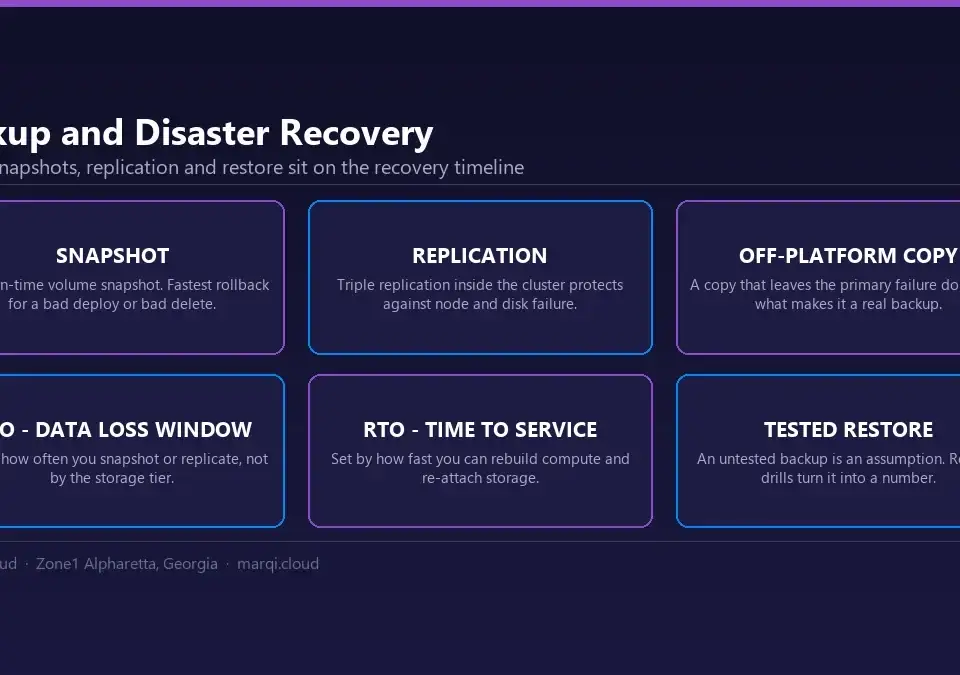
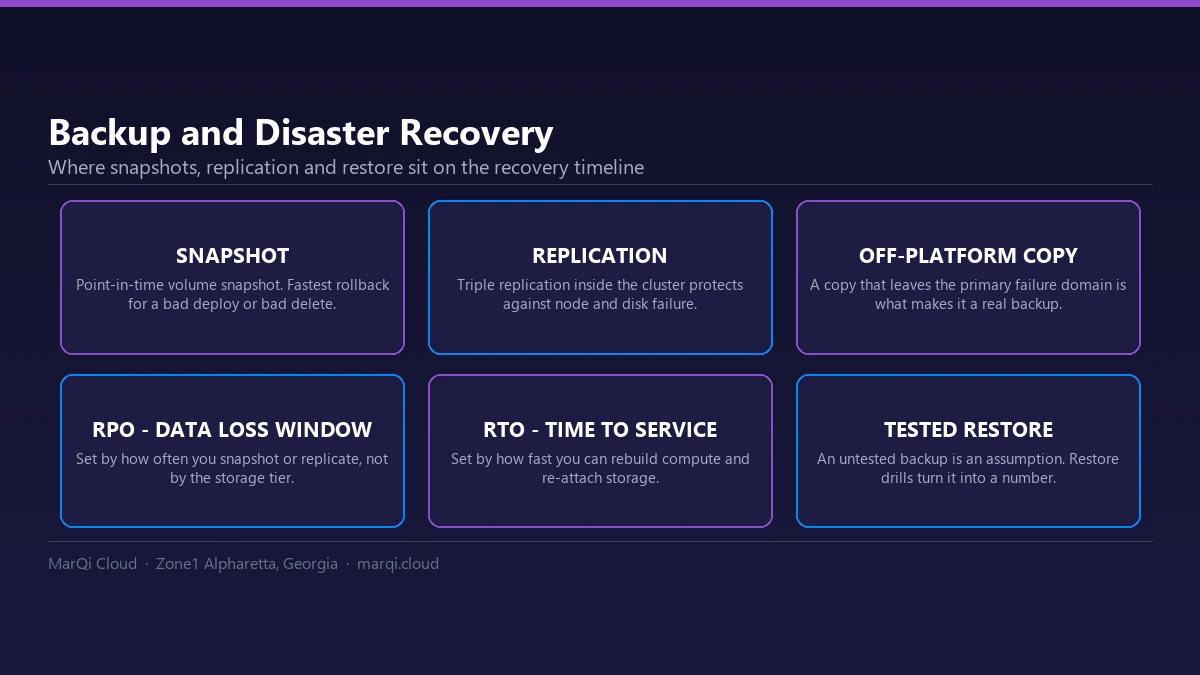
Snapshots are an essential part of our data protection strategy. A snapshot is a point-in-time copy of your data that allows for quick recovery in case of data loss or corruption.
1. Quick Recovery
Snapshots enable rapid recovery of data, minimizing downtime. In the event of an incident, you can revert to the last known good configuration swiftly.
2. Version Control
Snapshots also facilitate version control, allowing businesses to access previous versions of files or databases. This is particularly useful for recovering from accidental deletions or unwanted changes.
3. Testing and Development
Snapshots are invaluable for testing and development environments. They allow developers to create test environments without impacting production data, ensuring a seamless workflow.
Implementing a Backup and Snapshot Strategy
Now that we understand the components of our backup and snapshot strategy, let’s discuss how to implement it effectively.
1. Assess Your Data Needs
Start by assessing what data is critical for your business operations. Identify which data needs to be backed up and how frequently.
2. Define Backup Frequency
Determine how often backups should occur. For critical data, consider hourly backups, while less critical data may only require daily or weekly backups.
3. Choose the Right Backup Type
Based on your data assessment, choose the appropriate backup methods—full, incremental, or differential backups. Consider using a combination of these for optimal results.
4. Test Your Backups
Regularly test your backups to ensure that they can be restored successfully. Testing helps identify any issues in the backup process and ensures that your data can be recovered when needed.
5. Monitor and Review
Continuously monitor your backup processes and review your strategy. As your business grows and changes, so too should your backup strategy.
Why Choose MarQi Cloud for Your Backup Strategy?
Choosing the right cloud provider is crucial for an effective backup and snapshot strategy. Here’s why MarQi Cloud stands out:
1. Enterprise-Grade Infrastructure
Our cloud infrastructure is designed for performance and reliability, ensuring that your backups are secure and accessible when you need them.
2. Hybrid Cloud Deployment Models
We offer hybrid cloud solutions that allow for flexibility in data management, ensuring that your backups can be tailored to your specific requirements.
3. US-Based Support
Our dedicated US-based support team is available to assist with any issues you may encounter, ensuring that your data management processes run smoothly.
4. Flexible Pricing Models
We provide flexible pricing options that allow businesses of all sizes to implement robust data protection strategies without breaking the bank.
Conclusion
The risk of data loss is a reality that every business faces. However, with a comprehensive backup and snapshot strategy from MarQi Cloud, you can mitigate these risks effectively. Our enterprise-grade cloud infrastructure, combined with automated and reliable backup solutions, ensures that your data remains safe and recoverable. By implementing our strategies, you can focus on your core business operations, knowing that your data is protected. Contact us today at +1 770-369-9321 to learn more about how we can help you achieve zero data loss.
FAQ
1. What is the difference between backup and snapshot?
A backup is a copy of data stored separately, while a snapshot is a point-in-time copy of data that allows quick recovery.
2. How often should I back up my data?
The frequency of backups depends on the criticality of the data; critical data may need hourly backups, while less critical data may need daily or weekly backups.
3. What types of data should I back up?
You should back up all critical business data, including databases, files, and application data.
4. Can I restore data from a snapshot?
Yes, snapshots allow you to restore data to a specific point in time quickly.
5. What is a hybrid cloud model?
A hybrid cloud model combines both on-premises infrastructure and cloud resources for greater flexibility and security.
6. How does MarQi Cloud ensure data security?
MarQi Cloud implements robust security measures, including encryption and offsite backups, to protect your data.
7. Are backups stored offsite?
Yes, we store backups in offsite locations to ensure data safety in case of local disasters.
8. What should I do if I need to restore my data?
Contact our support team, and they will guide you through the data restoration process.
9. Is there a limit to the amount of data I can back up?
Our flexible pricing models allow you to back up as much data as necessary based on your business needs.
10. How can I get started with MarQi Cloud’s backup solutions?
Contact us at +1 770-369-9321 to discuss your needs and learn about our backup solutions tailored specifically for your business.