
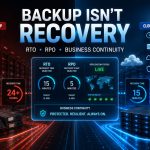
Cloud Disaster Recovery vs Traditional Backup: RTO, RPO and What Actually Protects Enterprise Data in 2026
June 11, 2026How to Set Up Auto-Scaling on MarQi Cloud Without Writing a Single Line of Code
June 11, 2026
The Developer’s Guide to MarQi Cloud API and Infrastructure Automation
In today’s rapidly evolving digital landscape, developers are constantly seeking efficient ways to manage cloud infrastructures. Automation has become a pivotal aspect of cloud management, allowing developers to streamline their workflows and enhance productivity. MarQi Cloud offers a robust API and infrastructure automation solutions designed to meet the demands of modern development. This comprehensive guide aims to provide developers with valuable insights into leveraging the MarQi Cloud API and automating infrastructure management.
Understanding MarQi Cloud API
The MarQi Cloud API is a powerful tool that enables developers to interact with the cloud infrastructure programmatically. It allows seamless integration with various applications and services, facilitating automation and enhancing operational efficiency. Below are some key features of the MarQi Cloud API:
1. Comprehensive Endpoints
The API offers a wide range of endpoints that cover various functionalities, including:
- Instance management
- Storage solutions
- Network configuration
- Monitoring and logging
2. Authentication and Security
Security is paramount when dealing with cloud infrastructure. The MarQi Cloud API employs OAuth 2.0 for secure authentication, ensuring that only authorized users can access the system. Developers can create tokens that allow them to interact with the API without exposing sensitive credentials.
3. Detailed Documentation
MarQi Cloud provides extensive documentation that guides developers through the API functionalities. This includes examples, error codes, and best practices for optimal usage.
Getting Started with MarQi Cloud API
For developers looking to dive into the MarQi Cloud API, here are the steps to get started:
Step 1: Create an Account
The first step is to create an account with MarQi Cloud. Once registered, you will gain access to the API key needed to authenticate your requests.
Step 2: Familiarize Yourself with API Documentation
Before diving into coding, thoroughly review the API documentation. Understanding the available endpoints and their functionalities is crucial for effective integration.
Step 3: Set Up Your Development Environment
Choose a programming language that you are comfortable with and set up your development environment. Ensure you have necessary libraries for making HTTP requests, such as Axios for JavaScript or Requests for Python.
Step 4: Make Your First API Call
Start with a simple API call to get a list of available instances. Use the following example:
GET https://api.marqicloud.com/v1/instancesRemember to include your authentication token in the headers.
Infrastructure Automation with MarQi Cloud
Infrastructure automation is critical for managing cloud resources efficiently. MarQi Cloud makes it easy to automate various aspects of your infrastructure using its API. Below are some effective strategies for infrastructure automation:
1. Automating Instance Provisioning
One of the primary benefits of using the MarQi Cloud API is the ability to automate instance provisioning. You can create scripts that automatically spin up new instances based on specific triggers, such as increased traffic or system load. Here’s a basic example:
POST https://api.marqicloud.com/v1/instancesInclude parameters such as instance type, region, and number of instances in the request body.
2. Implementing Auto-Scaling
Auto-scaling is essential for optimizing resource utilization and cost management. Use the API to configure auto-scaling policies that automatically adjust resources based on predefined metrics, ensuring your applications remain performant under varying loads.
3. Automating Backups and Disaster Recovery
Business continuity is crucial for any organization. Utilize the MarQi Cloud API to automate backup processes and implement disaster recovery strategies. Schedule regular backups and ensure your data is secure and retrievable in case of an emergency.
Best Practices for Using MarQi Cloud API
To maximize the efficiency of the MarQi Cloud API, consider the following best practices:
1. Use Rate Limiting
Be mindful of API rate limits to avoid throttling. Implement retry logic in your application to handle potential rate limit errors gracefully.
2. Monitor API Usage
Regularly monitor your API usage to identify patterns and optimize your integration. Use the logging features provided by MarQi Cloud to track performance and troubleshoot issues.
3. Keep Security a Priority
Always prioritize security when working with APIs. Rotate your API keys regularly and implement IP whitelisting to restrict access.
Common Use Cases for MarQi Cloud API
The MarQi Cloud API can be utilized in various scenarios, catering to different business needs:
1. DevOps Automation
Integrate the API into your CI/CD pipeline to automate deployment processes, ensuring a seamless transition from development to production.
2. Application Monitoring
Utilize the API to gather performance metrics and logs from your applications, enabling proactive monitoring and troubleshooting.
3. Resource Management
Manage your cloud resources effectively by automating tasks such as instance scaling, load balancing, and resource allocation.
Conclusion
MarQi Cloud provides developers with the tools needed to automate infrastructure management effectively. By leveraging the MarQi Cloud API, developers can streamline their workflows, enhance productivity, and ensure that their applications are performant and reliable. As cloud technologies continue to evolve, embracing automation will be essential for staying competitive in the digital landscape.
FAQ
1. What programming languages can I use with the MarQi Cloud API?
You can use any programming language that supports HTTP requests, such as Python, JavaScript, Java, or Ruby.
2. How do I authenticate my API requests?
You authenticate your API requests using OAuth 2.0 tokens that you obtain after registering with MarQi Cloud.
3. Can I automate instance backups with the API?
Yes, you can schedule and automate backups through the API to ensure data integrity and availability.
4. What are the rate limits for the MarQi Cloud API?
Rate limits may vary based on your account type. Check the API documentation for specific limits.
5. How can I implement auto-scaling?
You can configure auto-scaling policies via the API based on specific metrics, allowing your resources to scale automatically.
6. Is there a sandbox environment for testing the API?
Yes, MarQi Cloud provides a sandbox environment where you can test API requests without affecting your production resources.
7. What should I do if I encounter an error with the API?
Refer to the API documentation for error codes and troubleshooting tips, or contact MarQi Cloud support for assistance.
8. Is there support available for API integration?
Yes, MarQi Cloud offers US-based infrastructure and support to assist you with API integration and any related inquiries.
