
Why NVMe-Based Cloud Storage Delivers Sub-Millisecond Latency for Demanding Applications
September 14, 2026
Unlocking Hidden Costs: A Comprehensive Guide to Cloud Storage Cost Analysis
September 14, 2026
The Complete Guide to Cloud Shared File Systems for Collaborative Workloads
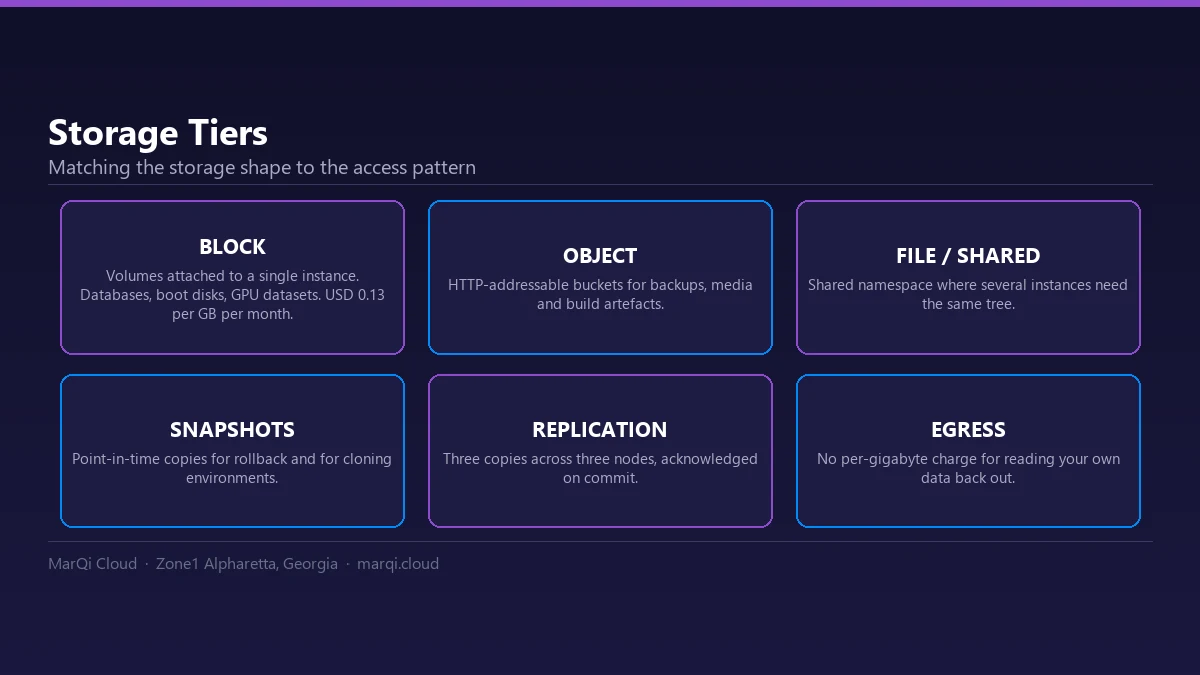
A cloud shared file system is network storage that many users and servers mount at the same time over standard protocols such as NFS or SMB, so everyone works on one copy of each file. These systems allow multiple users to access, edit, and share files in real time, streamlining workflows and improving productivity. In this comprehensive guide, we will explore the various aspects of cloud shared file systems, including their benefits, key features, deployment models, and best practices for maximizing their effectiveness. By the end of this article, you’ll have a thorough understanding of how to leverage these systems for collaborative workloads, ensuring your organization remains competitive in the digital age.
What is a Cloud Shared File System?
A cloud shared file system is a storage solution that allows users to store, access, and collaborate on files over the internet. Unlike traditional file storage, which is often limited to a single device or network, cloud shared file systems enable multiple users to work on the same files from different locations, making them ideal for remote teams and collaborative projects. These systems typically offer features such as version control, real-time editing, and robust security measures to protect sensitive data.
Benefits of Cloud Shared File Systems
Cloud shared file systems provide numerous benefits for organizations, including:
- Enhanced Collaboration: Teams can work together seamlessly, regardless of their physical location. This is particularly valuable for organizations with remote or distributed teams.
- Improved Accessibility: Files can be accessed from any device with an internet connection, allowing team members to work flexibly and efficiently.
- Scalability: Cloud shared file systems can easily scale to meet the growing needs of organizations, accommodating more users and larger data volumes without significant infrastructure changes.
- Cost-Effectiveness: Many cloud shared file systems operate on a pay-as-you-go model, allowing organizations to only pay for the resources they use. This can lead to significant cost savings compared to traditional on-premise solutions.
- Robust Security: Leading cloud providers implement advanced security measures, including encryption, access controls, and regular security audits, ensuring that sensitive data is protected.
Key Features of Cloud Shared File Systems
When evaluating cloud shared file systems, consider the following key features:
- Real-Time Collaboration: Look for systems that allow multiple users to edit files simultaneously, with changes reflected in real time.
- Version Control: Effective version control capabilities enable users to track changes, revert to previous versions, and maintain a clear history of file modifications.
- Access Control and Permissions: Robust access control features allow administrators to set permissions for different users, ensuring that sensitive information is protected.
- Integration with Other Tools: Many cloud shared file systems integrate seamlessly with productivity tools, such as project management software and communication platforms, enhancing overall workflow efficiency.
- Data Backup and Recovery: Ensure that the system offers reliable data backup and recovery options to prevent data loss.
Deployment Models for Cloud Shared File Systems
Organizations can choose from various deployment models when implementing cloud shared file systems:
- Public Cloud: This model involves using a shared infrastructure provided by a third-party cloud provider. It is typically cost-effective and scalable but may raise concerns regarding data privacy and security.
- Private Cloud: A private cloud offers dedicated resources for a single organization, providing greater control over data security and compliance. This model is ideal for businesses with strict regulatory requirements.
- Hybrid Cloud: A hybrid cloud combines public and private cloud resources, allowing organizations to benefit from the advantages of both models. This approach is particularly useful for businesses that require flexibility and scalability while maintaining control over sensitive data.
Best Practices for Implementing Cloud Shared File Systems
To maximize the effectiveness of cloud shared file systems, organizations should follow these best practices:
- Assess Your Needs: Begin by evaluating your organization’s specific requirements, including file size, user access, and collaboration needs.
- Choose the Right Provider: Research and compare different cloud shared file system providers, focusing on features, pricing, and customer support. Consider options like MarQi Cloud’s Hybrid Cloud Solutions for tailored infrastructure.
- Implement Security Measures: Ensure that the chosen system includes robust security features, such as encryption and access controls, to protect sensitive data.
- Train Employees: Provide training for employees to ensure they understand how to use the system effectively and securely.
- Monitor Usage: Regularly monitor system usage and performance to identify any potential issues or areas for improvement.
Comparison of Popular Cloud Shared File Systems
| Feature | Google Drive | Dropbox | Microsoft OneDrive | Box |
|---|---|---|---|---|
| Real-Time Collaboration | Yes | Yes | Yes | Yes |
| Version Control | Yes | Yes | Yes | Yes |
| Access Controls | Basic | Advanced | Advanced | Advanced |
| Integration with Other Tools | Extensive | Moderate | Extensive | Extensive |
| Free Storage | 15 GB | 2 GB | 5 GB | 10 GB |
Example Scenarios and Use Cases
The scenarios below are illustrative examples of how organizations typically apply these practices; they do not describe specific MarQi Cloud customers or measured results.
For instance, a leading marketing agency utilized a cloud shared file system to streamline its content creation process, allowing team members to collaborate on documents in real time, significantly reducing project turnaround times.
Similarly, a healthcare organization adopted a cloud shared file system to facilitate secure sharing of patient records among medical staff, improving communication and patient care. These examples demonstrate the versatility and effectiveness of cloud shared file systems in diverse organizational settings.
The Future of Cloud Shared File Systems
As technology continues to evolve, cloud shared file systems are expected to become even more sophisticated. Future trends may include:
- Increased Automation: Automation features will streamline workflows and reduce manual tasks, further enhancing productivity.
- Enhanced Security Protocols: As cyber threats become more sophisticated, cloud providers will continue to enhance their security measures to protect sensitive data.
- Greater Integration with AI: Artificial intelligence will play a larger role in optimizing cloud shared file systems, enabling smarter data management and collaboration solutions.
Frequently Asked Questions
What is a cloud shared file system?
A cloud shared file system is a storage solution that allows multiple users to access and collaborate on files over the internet.
What are the benefits of using a cloud shared file system?
Benefits include enhanced collaboration, improved accessibility, scalability, cost-effectiveness, and robust security.
How do I choose the right cloud shared file system for my organization?
Assess your needs, research providers, and compare features, pricing, and customer support to find the best fit.
Can I integrate a cloud shared file system with other tools?
Yes, many cloud shared file systems offer integration with productivity tools, enhancing overall workflow efficiency.
What security measures should I look for in a cloud shared file system?
Look for features such as encryption, access controls, and regular security audits to protect sensitive data.
Are cloud shared file systems scalable?
Yes, cloud shared file systems are designed to scale easily to meet the growing needs of organizations.
What deployment models are available for cloud shared file systems?
Deployment models include public cloud, private cloud, and hybrid cloud.
How can I ensure effective collaboration using a cloud shared file system?
Implement best practices, provide training, and regularly monitor usage to maximize collaboration effectiveness.
Conclusion
In conclusion, cloud shared file systems are essential tools for organizations looking to enhance collaboration and improve productivity in today’s digital landscape. By understanding their benefits, features, and best practices, businesses can effectively leverage these systems to streamline workflows and foster teamwork. As you consider implementing a cloud shared file system, ensure to evaluate your organization’s specific needs and choose a provider that aligns with your goals, such as MarQi Cloud’s Hybrid Cloud Solutions. With the right approach, your organization can harness the power of cloud shared file systems to achieve greater success.




