Exploring Atlanta’s Growing Tech Ecosystem: Opportunities and Innovations
March 20, 2026
AI Infrastructure Cost Comparison: Atlanta vs NYC
March 21, 2026
What is the main difference between a dedicated and shared GPU?
A dedicated GPU is a separate unit with its own memory and processing power, while a shared GPU is integrated into the CPU and shares system RAM.
Dedicated GPU vs Shared GPU: What’s Better for Your Business?
In today’s fast-paced digital world, choosing the right computing resources can significantly impact your business’s performance. One of the most crucial decisions revolves around graphics processing units (GPUs). With options like dedicated GPUs and shared GPUs, understanding the differences and advantages of each can help you make an informed choice. This article delves into the nuances of dedicated and shared GPUs, evaluating their strengths and weaknesses to determine which is better suited for your needs.
Dedicated vs Shared GPU – What Is the Difference?
Before we dive into the specifics of dedicated and shared GPUs, it’s essential to understand what a GPU is and its role in computing. A Graphics Processing Unit (GPU) is designed to accelerate the rendering of images, animations, and video for the computer’s screen. GPUs are essential for tasks that require high graphical performance, such as gaming, video editing, and complex data visualizations.
What is a Dedicated GPU?
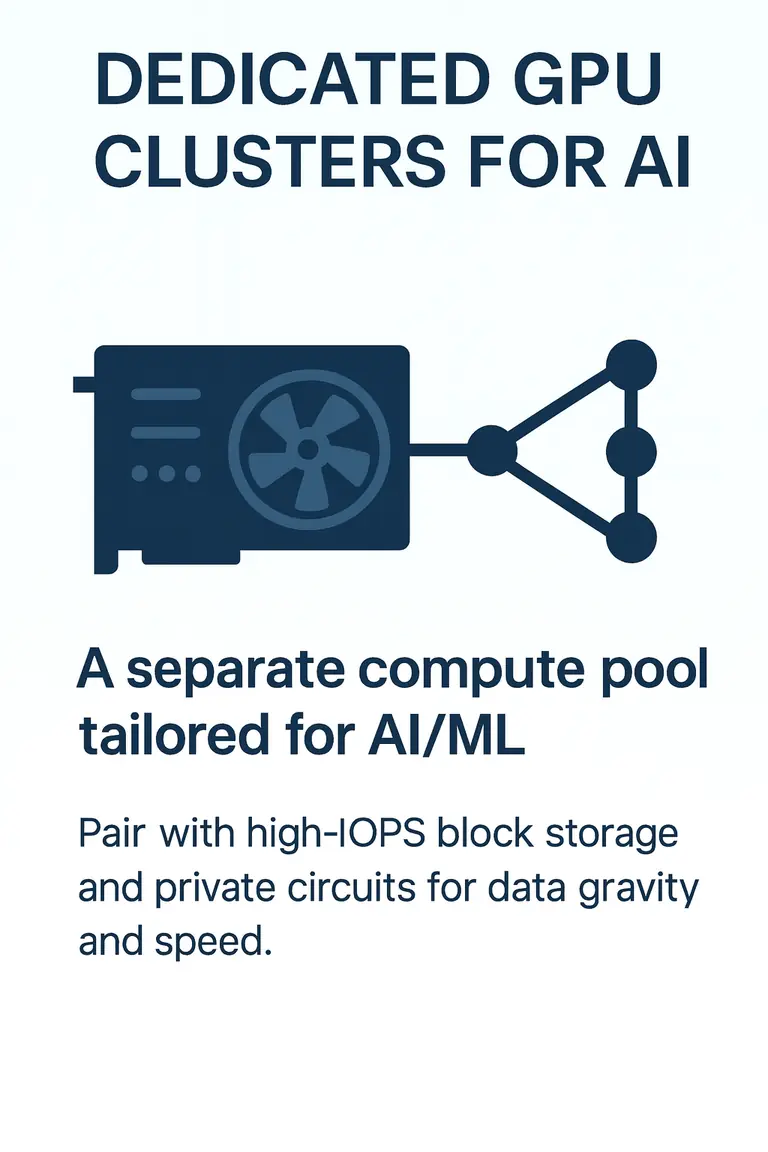
A dedicated GPU, also known as a discrete GPU, is a separate hardware component installed in a computer system. It has its own video memory (VRAM) and is specifically designed to handle graphics-intensive tasks without relying on the CPU. Dedicated GPUs are often found in high-performance workstations, gaming laptops, and servers that require robust graphical capabilities.
Advantages of Dedicated GPUs
- Superior Performance: Dedicated GPUs offer significantly higher performance compared to shared GPUs, making them ideal for demanding applications like 3D rendering and high-resolution gaming.
- Independent Resources: Since dedicated GPUs have their own memory and processing power, they do not share resources with other applications, ensuring optimal performance.
- Enhanced Capabilities: Dedicated GPUs are equipped with advanced features such as ray tracing and AI processing, providing better graphics quality and faster rendering times.
- Future-Proofing: Investing in a dedicated GPU can be a long-term solution as it can handle new software and technologies better than shared GPUs.
Disadvantages of Dedicated GPUs
- Higher Cost: Dedicated GPUs can be more expensive than shared options, both in terms of initial investment and maintenance.
- Increased Power Consumption: Dedicated GPUs require more power, leading to higher energy costs and potential cooling requirements.
- Space Requirements: These units take up physical space in a computer system, which can be a limitation for smaller devices.
What is a Shared GPU?
A shared GPU, also known as an integrated GPU, is a graphics processor that is built into the same chip as the CPU. This means that it does not have its own dedicated memory; instead, it shares the system’s RAM. Shared GPUs are commonly found in budget laptops, desktops, and servers designed for less demanding graphical tasks.
Advantages of Shared GPUs
- Cost-Effective: Shared GPUs are generally more affordable than dedicated options, making them suitable for businesses with budget constraints.
- Lower Power Consumption: Since they share resources with the CPU, shared GPUs consume less power, leading to reduced energy costs.
- Space-Saving: Integrated GPUs do not require extra space in the system, which can be beneficial for compact devices.
Disadvantages of Shared GPUs
- Limited Performance: Shared GPUs cannot match the performance of dedicated GPUs, making them unsuitable for intense graphics tasks.
- Resource Sharing: Because shared GPUs rely on system RAM, they can experience bottlenecks when running multiple applications simultaneously.
- Lower Quality Graphics: The graphical output may not be as high quality as that of dedicated GPUs, particularly for advanced applications.
Comparing Dedicated and Shared GPUs
When deciding between dedicated and shared GPUs, it’s crucial to consider several factors that can influence your business’s operational needs:
Performance
Dedicated GPUs provide superior performance, especially for applications requiring high levels of graphical processing, such as video editing, 3D modeling, and gaming. Shared GPUs may suffice for basic tasks like web browsing and office applications but fall short for demanding workloads.
Cost
Budget constraints often play a significant role in the decision-making process. While dedicated GPUs offer better performance, they also come with higher upfront costs. Shared GPUs can be an attractive option for startups and small businesses looking to minimize expenses.
Power Consumption
If energy efficiency is a priority, shared GPUs can be advantageous due to their lower power requirements. However, businesses requiring high-performance computing may find that the benefits of dedicated GPUs outweigh the additional energy costs.
Scalability
Dedicated GPUs offer better scalability for businesses anticipating growth in their computational needs. They can handle future software advancements and increased workloads more effectively than shared GPUs.
Use Case Scenarios
Consider your specific needs when choosing between dedicated and shared GPUs:
- Dedicated GPU: Best for gaming, graphic design, video editing, machine learning, and other intensive graphical tasks.
- Shared GPU: Suitable for general computing tasks, office work, and casual gaming.
Conclusion
Ultimately, the choice between a dedicated GPU and a shared GPU depends on your business’s specific needs, budget, and performance requirements. If your operations involve graphics-intensive applications or require high performance, a dedicated GPU is the way to go. On the other hand, if your tasks are less demanding and you are working within a tight budget, a shared GPU may be sufficient.
FAQs
1. What is a GPU?
A Graphics Processing Unit (GPU) is a specialized electronic circuit designed to accelerate the rendering of images, animations, and video for computer graphics.
2. What is the main difference between a dedicated and shared GPU?
A dedicated GPU is a separate unit with its own memory and processing power, while a shared GPU is integrated into the CPU and shares system RAM.
3. Which GPU is better for gaming?
A dedicated GPU is generally better for gaming due to its superior performance and ability to handle high-resolution graphics.
4. Are shared GPUs suitable for video editing?
While shared GPUs may handle basic video editing, dedicated GPUs are recommended for more complex tasks due to their enhanced performance.
5. Can I upgrade my shared GPU?
No, shared GPUs are integrated into the CPU and cannot be upgraded independently. However, upgrading the entire CPU may provide better graphics capabilities.
6. How do I choose the right GPU for my business?
Consider your specific needs, budget, and the types of applications you use. If you require high performance, a dedicated GPU is advisable.
7. Do dedicated GPUs consume more power?
Yes, dedicated GPUs typically consume more power than shared GPUs due to their higher performance capabilities.
8. What are some popular dedicated GPU brands?
Popular brands include NVIDIA and AMD, both of which offer a range of dedicated GPUs for various performance needs.
9. Are there any hybrid GPU solutions?
Yes, some systems utilize both dedicated and shared GPUs, allowing for flexibility in performance based on workload requirements.
10. How do I know if I need a dedicated GPU?
If you frequently engage in graphics-intensive tasks such as gaming, 3D rendering, or video editing, a dedicated GPU is likely necessary for optimal performance.