
vCPU Overcommitment and CPU Steal Time Explained
October 29, 2026
VM Templates and Golden Images: Building Repeatable VMs
October 29, 2026

GPU PCIe Passthrough Explained: Dedicated GPUs for VMs
Short answer: GPU PCIe passthrough assigns a whole physical GPU to one virtual machine, so the guest operating system drives the card directly with its own driver instead of going through an emulated or shared device. On Linux hosts this is done with VFIO and the IOMMU. The VM gets exclusive use of that GPU; the trade-off is that the card cannot be shared with other VMs while it is assigned, and the VM is tied to the host the card sits in.
How PCIe Passthrough Works
The Linux kernel’s VFIO documentation describes VFIO as an “IOMMU/device agnostic framework for exposing direct device access to userspace”, and notes that virtual machines often make use of direct device access: from the device’s and host’s point of view, the VM simply becomes a userspace driver. The IOMMU keeps that access safe by isolating the device’s memory access from the rest of the system.
Isolation is not always possible one device at a time. VFIO works in IOMMU groups: a group is a set of devices that can be isolated from all other devices in the system, and the group is the minimum unit that can be assigned securely. If a GPU shares an IOMMU group with another device, the whole group has to go to the VM, which is why server platforms with clean IOMMU grouping matter for passthrough.
Passthrough vs Shared GPU Options
| Approach | How the GPU is used | Good fit | Trade-off |
|---|---|---|---|
| PCIe passthrough | One whole physical GPU assigned to one VM through VFIO | Training, sustained inference, workloads that need the full card and its memory | The card serves one VM at a time; the VM stays on that host |
| Hardware partitioning (for example NVIDIA MIG) | A supported GPU split into isolated instances, each with dedicated compute and memory | Several smaller jobs or users on one card | Each instance gets only a slice of the GPU; only on supported models |
| Software-shared or time-sliced GPU | Several VMs or containers take turns on the same GPU | Light, bursty or development workloads | Performance depends on what other tenants are running |
NVIDIA’s MIG user guide describes partitioning supported GPUs into multiple isolated instances, each with dedicated compute and memory resources. That is a different goal from passthrough: MIG divides one card among users, while passthrough gives one user the whole card.
When to Choose Passthrough
- The job needs the full GPU memory. Large models and long training runs are limited by memory on the card, so a slice is not enough.
- You need predictable performance. With the card assigned to your VM, no other tenant competes for it.
- You run your own drivers and software stack. The guest installs the vendor driver it needs, as it would on a physical server.
- Utilisation is high. If the GPU is busy most of the time, sharing it brings little; if it idles most of the day, a shared or partitioned option may cost less.
Questions to Ask a GPU Provider
- Is each GPU assigned whole to my VM, partitioned, or time-shared with other tenants?
- Is GPU capacity oversubscribed?
- Are local NVMe drives also passed through, or presented through a virtual layer?
- How is the GPU cluster cooled for sustained runs?
- How is pricing set: per hour, or per dedicated build?
GPU Passthrough on MarQi Cloud
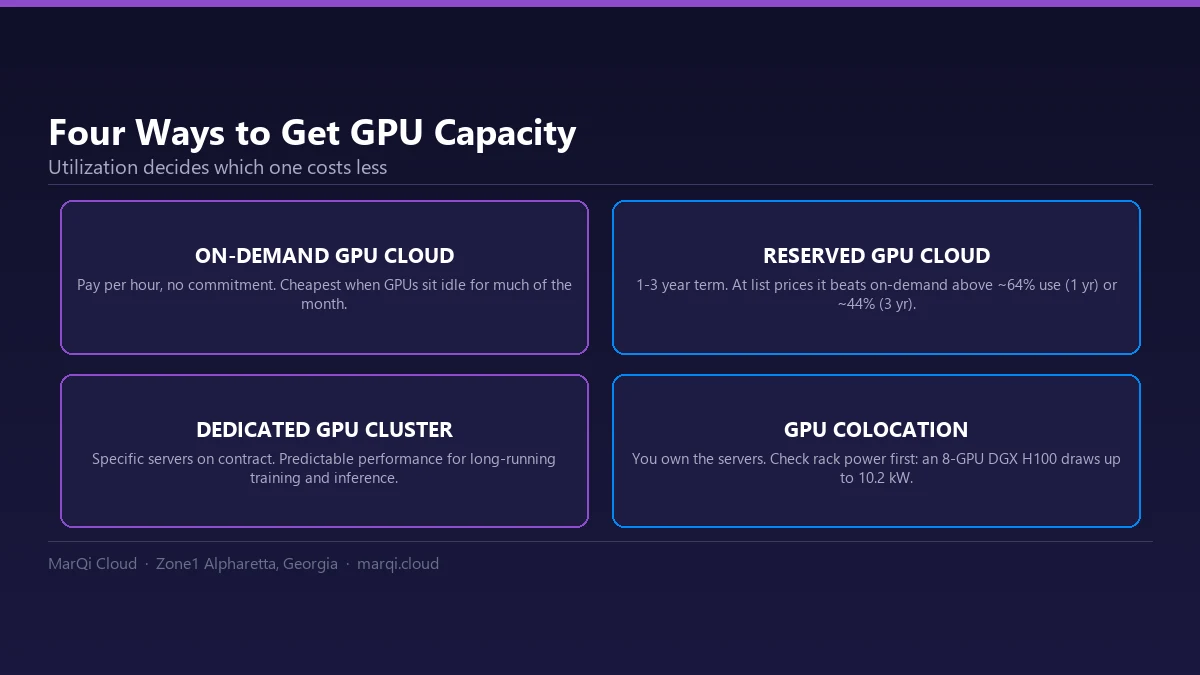
MarQi Cloud runs a dedicated GPU cluster, separate from general-purpose compute. Each GPU node is fully dedicated with direct PCIe passthrough, all GPU and NVMe storage devices are direct hardware passthrough with no virtualization layer between your workload and the hardware, and GPU resources are not oversubscribed. GPU nodes are quoted per build, and the cluster is designed with both air and liquid cooling. See GPU infrastructure for AI and ML, and for cooling choices read why AI workloads need liquid cooling.