
What Is PetaSAN? Ceph-Based Scale-Out SAN Explained
October 29, 2026
GPU PCIe Passthrough Explained: Dedicated GPUs for VMs
October 29, 2026
vCPU Overcommitment and CPU Steal Time Explained
Short answer: vCPU overcommitment means a host has handed out more virtual CPUs to its virtual machines than it has physical CPUs. It works because most VMs are not busy all the time, but when several of them need CPU at once they have to wait their turn, and inside a Linux guest that wait shows up as CPU steal time. If your workload is latency-sensitive or runs near full load for long periods, you want vCPUs that are not overcommitted, and you should watch steal time to know whether you have them.
What vCPU Overcommitment Is
Red Hat’s KVM performance guide describes vCPU overcommitment as a setup where the sum of all vCPUs in the VMs on a host exceeds the number of physical CPUs. It warns that you might see performance deterioration when the VMs run more cores at the same time than the host physically has, and that applications using all of their processing resources may become unstable in overcommitted environments.
| Overcommitted vCPUs | Dedicated (not overcommitted) vCPUs | |
|---|---|---|
| Physical CPU behind each vCPU | Shared with other VMs when they are busy at the same time | Capacity reserved for your VM |
| Performance under load | Varies with what other tenants are doing | Consistent with the vCPU count you pay for |
| Where it shows up | CPU steal time inside the guest; uneven response times | Steal time stays near zero |
| Suits | Bursty, idle-most-of-the-time workloads | Databases, latency-sensitive APIs, licence-bound software, sustained batch jobs |
CPU Steal Time: How Contention Becomes Visible
Linux reports contention directly. The steal field in /proc/stat is, in the words of the Linux manual page, “time spent in other operating systems when running in a virtualized environment”: time your vCPU was ready to run but the hypervisor was running something else. Tools such as top show it as the st value. Occasional small values are normal; steal time that rises whenever your application is busy means the host is short of physical CPU at exactly the moment you need it.
- Record steal time alongside application latency during your normal peak.
- Compare it with a quiet period. If latency climbs together with steal time, contention, not your code, is the bottleneck.
- Repeat the test before you commit to a provider or an instance size, using your real workload rather than a synthetic benchmark.
How Operators and Users Reduce CPU Contention
- Avoid overcommitting in production without testing. Red Hat recommends assigning the minimum vCPUs a workload needs and avoiding vCPU overcommitment in production without extensive testing. Where it is used, the same guide gives a typical safe ratio of 5 vCPUs to 1 physical CPU for loads under 100%, and advises against more than 10 allocated vCPUs per physical core.
- CPU pinning. Pinning a vCPU to a specific physical CPU thread ensures that the vCPU has its own dedicated physical thread, which the Red Hat guide notes can significantly improve vCPU performance.
- Right-size instead of over-sizing. More vCPUs than the workload uses do not help on an overcommitted host and can make scheduling harder.
- Move to dedicated hardware when needed. For workloads that must never share a host, bare metal removes the hypervisor neighbours entirely; see how bare metal handles the noisy neighbor problem.
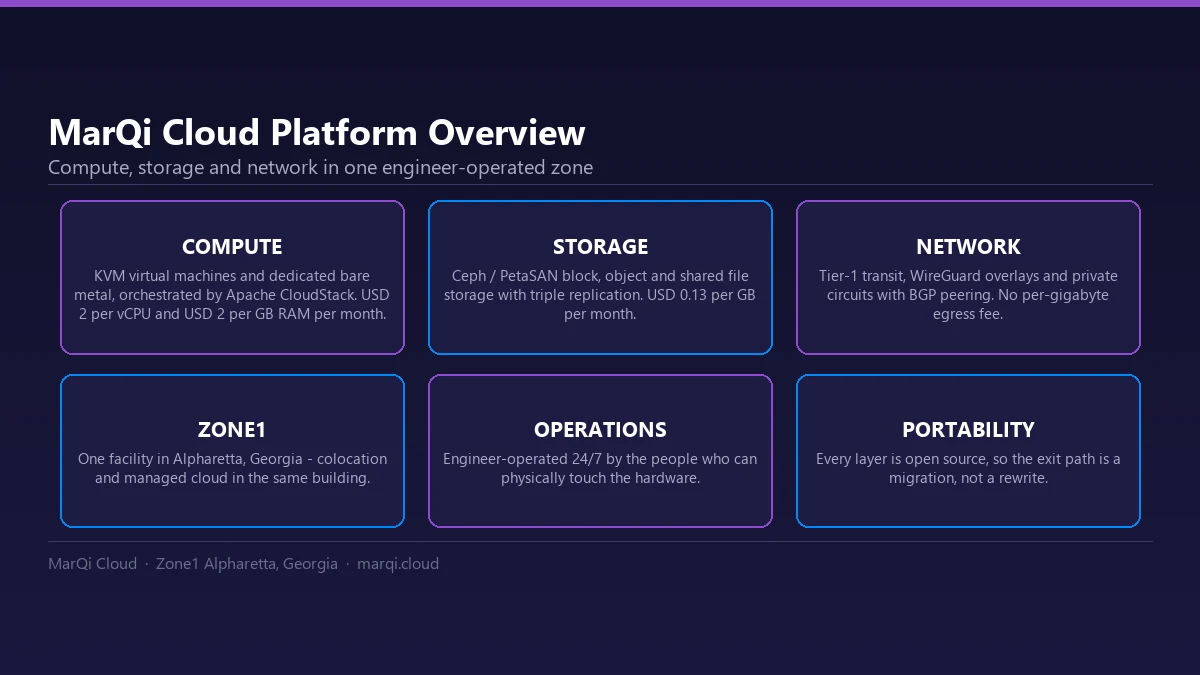
vCPU Allocation on MarQi Cloud
MarQi Cloud’s KVM virtual machines, managed by Apache CloudStack, use dedicated vCPU allocation rather than oversubscribed slices, and the pool can be resized from the client portal. Compute is priced per unit at USD 2 per vCPU and USD 2 per GB of RAM per month, plus USD 0.13 per GB of block storage, so a VM with 4 vCPUs, 16 GB of RAM and 100 GB of storage works out to (4 × 2) + (16 × 2) + (100 × 0.13) = USD 53 per month at list rates. See the dedicated vCPU compute platform for how virtual machines and bare metal compare, and pricing for current rates.