What to Ask a Cloud Provider: The 25-Question Enterprise Checklist
February 27, 2026
Understanding Tier-1 Network Providers: What It Means and What It Doesn’t
February 27, 2026
GPU Colocation: Can You Bring Your Own GPUs and Still Use Cloud Storage?
In the rapidly evolving landscape of technology, businesses are constantly seeking innovative solutions to enhance performance and reduce costs. One such solution that has gained traction is GPU colocation. This approach allows organizations to leverage the massive processing power of Graphics Processing Units (GPUs) while benefiting from the advantages of cloud storage. But a common question arises: Can you bring your own GPUs and still use cloud storage? In this article, we will delve into the intricacies of GPU colocation, explore the benefits of using your own GPUs, and discuss how cloud storage can seamlessly integrate into this setup.
Understanding GPU Colocation
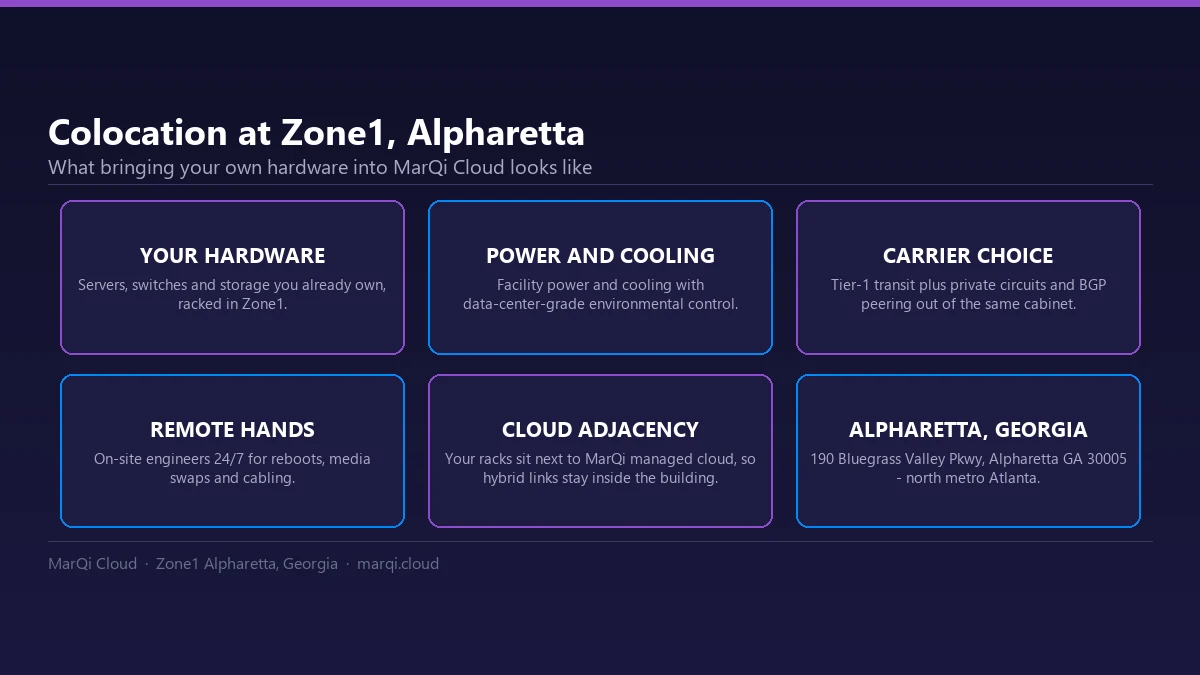
GPU colocation involves placing your own GPU hardware in a third-party data center. This setup enables businesses to harness the power of advanced GPUs without the need for significant capital investment in infrastructure. By utilizing colocation services, organizations can enjoy high-performance computing capabilities while benefitting from the flexibility and scalability of cloud solutions.
What Are the Benefits of GPU Colocation?
There are several compelling reasons to consider GPU colocation for your business:
- Cost Efficiency: By colocating your GPUs, you avoid the high upfront costs of building and maintaining your own data center.
- Scalability: As your computational needs grow, you can easily scale your GPU resources without the need for extensive physical upgrades.
- Access to Advanced Infrastructure: Colocation facilities often feature enterprise-grade infrastructure, including high-speed internet, power redundancy, and optimal cooling systems.
- Enhanced Performance: With GPUs designed for parallel processing, your applications can perform tasks more efficiently and faster than traditional CPU setups.
Can You Bring Your Own GPUs?
The short answer is yes; many colocation providers allow you to bring your own GPUs. However, it’s crucial to understand the specific requirements and considerations involved in this process.
Choosing the Right Colocation Provider
Not all colocation providers have the same policies regarding the use of personal hardware. When selecting a provider, consider the following:
- Compatibility: Ensure that the data center can accommodate your specific GPU models and configurations.
- Power and Cooling: GPUs generate significant heat and require ample power. Verify that the colocation facility can support your hardware requirements.
- Support Services: Look for providers that offer hands-on support for GPU management, troubleshooting, and maintenance.
Integration with Cloud Storage
One of the primary advantages of GPU colocation is the ability to integrate cloud storage solutions. This combination can significantly enhance your computing capabilities. Here’s how this integration works:
Utilizing Cloud Storage with Your Colocated GPUs
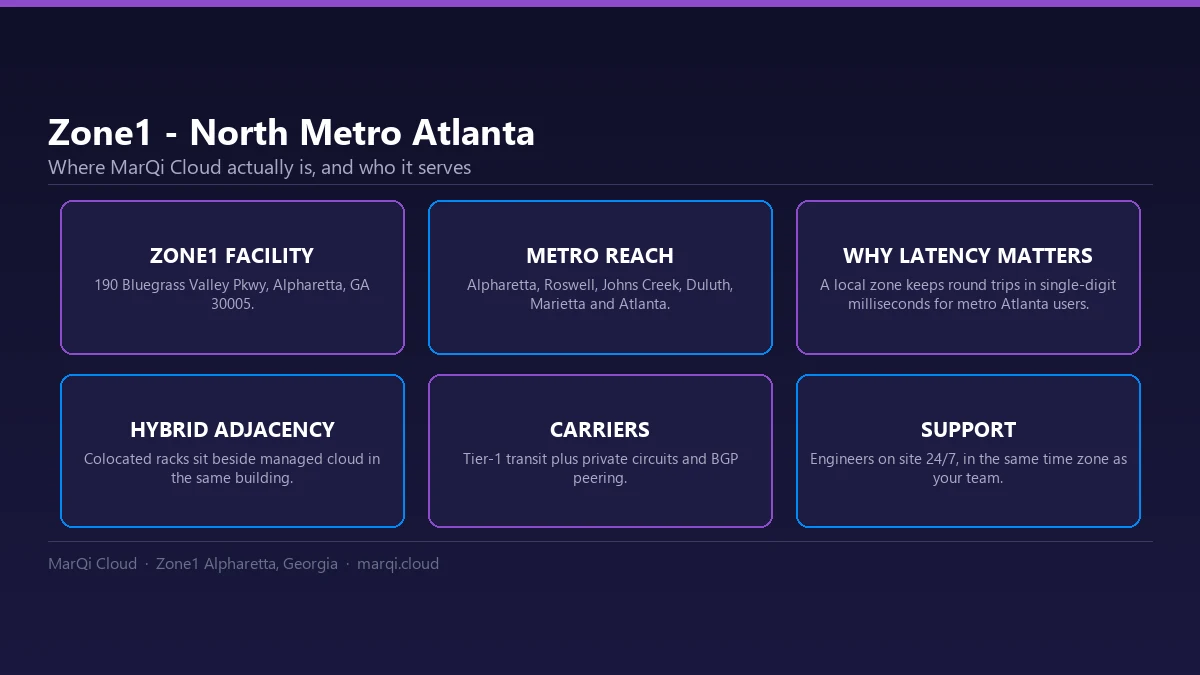
When you colocate your GPUs, you can connect them to cloud storage services. This allows you to store large datasets and access them quickly and efficiently during processing tasks. Here are some key benefits:
- Minimized Latency: Connecting your GPUs to high-speed cloud storage minimizes latency, enabling faster data retrieval during computations.
- Flexible Storage Options: Cloud storage solutions offer various options, including block storage, object storage, and file storage, allowing you to choose what best suits your needs.
- Data Redundancy and Security: Cloud storage services often include built-in redundancy and security measures, ensuring that your data is safe and accessible.
| What to verify | What the provider has to support |
|---|---|
| Compatibility | The data center can accommodate your specific GPU models and configurations |
| Power and cooling | Enough power and cooling for hardware that generates significant heat |
| Support services | Hands-on support for GPU management, troubleshooting and maintenance |
| Storage latency | High-speed cloud storage so data retrieval during computation stays fast |
| Storage types | Block, object and file storage, so you can pick what the workload needs |
| Redundancy and security | Built-in redundancy and security measures on the storage side |
Performance Benefits of Combining GPU Colocation and Cloud Storage
The combination of GPU colocation and cloud storage can lead to enhanced performance for various applications:
Machine Learning and AI
Machine learning and artificial intelligence (AI) applications require substantial computational power and large datasets. By colocating your GPUs and using cloud storage, you can process data efficiently, improving model training times and overall performance.
Big Data Analytics
For businesses dealing with big data analytics, the processing power of GPUs can provide significant advantages. Coupling this with cloud storage allows for rapid access to vast amounts of data, enabling more insightful analytics and reporting.
Rendering and Visualization
In industries like gaming, film, and architecture, rendering complex graphics is a resource-intensive task. GPU colocation combined with cloud storage facilitates faster rendering times and more efficient workflows.
Challenges and Considerations
While GPU colocation offers numerous advantages, there are challenges to be aware of:
Initial Setup and Configuration
Setting up your own GPUs in a colocation facility may require a considerable amount of time and expertise. Ensure that you have the necessary technical knowledge or access to support services.
Ongoing Maintenance
Colocated GPUs require ongoing maintenance and monitoring. Ensure that you have a plan in place for regular checks and updates to keep your hardware functioning optimally.
Cost Management
While colocation can be cost-effective, it is essential to manage costs carefully. Be mindful of power consumption, space requirements, and any additional fees associated with your chosen colocation provider, and compare the total with GPU cloud and dedicated clusters.
Conclusion
GPU colocation presents a viable solution for organizations looking to leverage the power of GPUs while integrating cloud storage. By bringing your own GPUs to a colocation facility, you can enjoy the benefits of enhanced performance, scalability, and cost-efficiency. However, it is crucial to choose the right provider, understand the integration process, and address any challenges that may arise. With the right approach, GPU colocation can significantly enhance your computing capabilities and drive your business forward.
Frequently Asked Questions (FAQ)
1. What is GPU colocation?
GPU colocation involves placing your own GPU hardware in a third-party data center to leverage high-performance computing capabilities.
2. Can I bring my own GPUs to a colocation facility?
Yes, many colocation providers allow you to bring your own GPUs, but it’s essential to check compatibility and support options.
3. What are the benefits of using my own GPUs?
Using your own GPUs can lead to cost savings, enhanced performance, scalability, and access to enterprise-grade infrastructure.
4. How does cloud storage integrate with GPU colocation?
Cloud storage can be connected to colocated GPUs, allowing for rapid access to large datasets during processing tasks.
5. What industries benefit most from GPU colocation?
Industries such as machine learning, AI, big data analytics, gaming, and film production benefit significantly from GPU colocation.
6. What challenges should I expect with GPU colocation?
Challenges include initial setup complexity, ongoing maintenance requirements, and careful cost management.
7. How do I choose the right colocation provider for GPUs?
Consider factors such as compatibility, power and cooling capacity, and support services when selecting a provider.
8. What types of cloud storage are available for GPU colocation?
Options include block storage, object storage, and file storage, allowing you to choose based on your specific needs.
9. Is GPU colocation suitable for small businesses?
Yes, small businesses can benefit from GPU colocation, especially if they require high-performance computing without significant infrastructure investments.
10. How can I ensure the security of my data in cloud storage?
Choose cloud storage providers that offer robust security measures, including encryption, redundancy, and access controls.