Why Traditional Backup Is No Longer Sufficient for Modern Business Continuity
July 19, 2026
The IT Manager’s Ultimate Guide to Testing Disaster Recovery Plans
July 20, 2026
How Automated Failover Protects Your Business from Unplanned Cloud Outages
In today’s digital landscape, businesses rely heavily on cloud infrastructure to deliver services, manage data, and maintain operational continuity. However, unplanned outages can severely disrupt business operations, leading to loss of revenue, customer dissatisfaction, and damage to brand reputation. This is where automated failover systems come into play, providing a robust solution to mitigate the risks associated with cloud outages. In this comprehensive guide, we will explore what automated failover is, how it works, and why it is critical for businesses leveraging cloud infrastructure. By the end of this article, you’ll understand how automated failover can protect your business and ensure seamless operations even during unexpected disruptions.
What is Automated Failover?
Automated failover is a process that allows a system to automatically switch to a standby system, server, or network in the event of a failure in the primary system. This technology is essential for maintaining high availability and minimizing downtime during unexpected outages. Automated failover solutions are widely used in enterprise cloud environments, where uptime is critical for business operations. Businesses that implement automated failover can ensure their applications and services remain accessible, even during hardware failures, software bugs, or network issues.
How Automated Failover Works
The mechanics of automated failover involve several key components and processes:
- Monitoring: Continuous monitoring of the primary system’s health is essential. Monitoring tools check for performance metrics, network connectivity, and overall system functionality. If an anomaly is detected, the failover process is triggered.
- Failover Mechanism: The failover mechanism can be configured to switch to a backup server, cloud instance, or a different data center, depending on the architecture in place. This switch is usually seamless, allowing users to continue operations without noticeable interruption.
- Data Synchronization: For failover to be effective, data needs to be synchronized between the primary and standby systems. This can be achieved through various methods such as real-time replication, where changes are instantly mirrored to the backup system, or scheduled backups that occur at regular intervals.
- Testing and Validation: It’s crucial to regularly test the failover system to ensure it functions correctly when needed. This involves simulating failures and verifying that the backup systems can take over without data loss or service interruption.
Automated failover systems can be categorized into two main types:
| Type | Description | Use Cases |
|---|---|---|
| Active-Passive Failover | In this setup, the primary system is active while the secondary (passive) system remains on standby. If the primary system fails, traffic is rerouted to the secondary system. | Suitable for applications where downtime is unacceptable, such as financial services and healthcare. |
| Active-Active Failover | Both systems are active and share the load. If one fails, the other continues to operate without interruption. | Ideal for high-traffic applications requiring load balancing and redundancy, such as e-commerce platforms. |
Benefits of Automated Failover for Businesses
Implementing automated failover brings numerous benefits to businesses, including:
- Minimized Downtime: Automated failover significantly reduces the time systems are offline. This is critical for maintaining service availability and preserving customer trust.
- Improved Reliability: By ensuring that backup systems are always ready to take over, businesses can enhance the overall reliability of their cloud services.
- Cost Savings: Downtime can be costly. Automated failover helps prevent revenue loss during outages, ultimately leading to cost savings in the long run.
- Enhanced Customer Experience: Consistent service availability contributes to a better customer experience, which can lead to increased customer loyalty and satisfaction.
- Compliance and Security: Many industries have strict compliance requirements regarding data availability and security. Automated failover solutions can help businesses meet these standards.
Implementing Automated Failover in Your Infrastructure
Integrating automated failover into your cloud infrastructure requires careful planning and execution. Here’s a step-by-step guide:
- Assess Your Needs: Determine the critical applications and services that require automated failover. Consider factors like the potential impact of downtime and the resources available for redundancy.
- Choose the Right Architecture: Decide between active-passive or active-active configurations based on your business requirements. Evaluate your existing infrastructure to ensure compatibility.
- Select a Reliable Provider: Partner with a reputable cloud provider that offers robust automated failover solutions, such as MarQi Cloud, known for its enterprise-grade infrastructure and managed services.
- Implement Monitoring Tools: Set up comprehensive monitoring to keep an eye on system performance and health. This can include application performance monitoring (APM) tools and network monitoring solutions.
- Configure Data Replication: Ensure that data synchronization between primary and secondary systems is set up correctly. Choose a replication method that aligns with your business needs.
- Test the Failover System: Regularly conduct failover tests to verify that the system operates as expected. Document the results and adjust configurations as necessary.
- Train Your Team: Ensure that your IT staff is well-trained in handling failover scenarios. This includes understanding how to manage the systems during a failover event.
Best Practices for Automated Failover
To maximize the effectiveness of your automated failover system, consider these best practices:
- Regularly Update and Patch Systems: Keeping your software and systems updated reduces vulnerabilities that could lead to failures.
- Establish Clear SLAs: Define service level agreements (SLAs) that outline expected uptime and performance metrics for your failover systems.
- Monitor Failover Events: Track and analyze failover events to identify patterns and areas for improvement in your infrastructure.
- Document Processes: Maintain detailed documentation of your failover procedures, including roles and responsibilities during an incident.
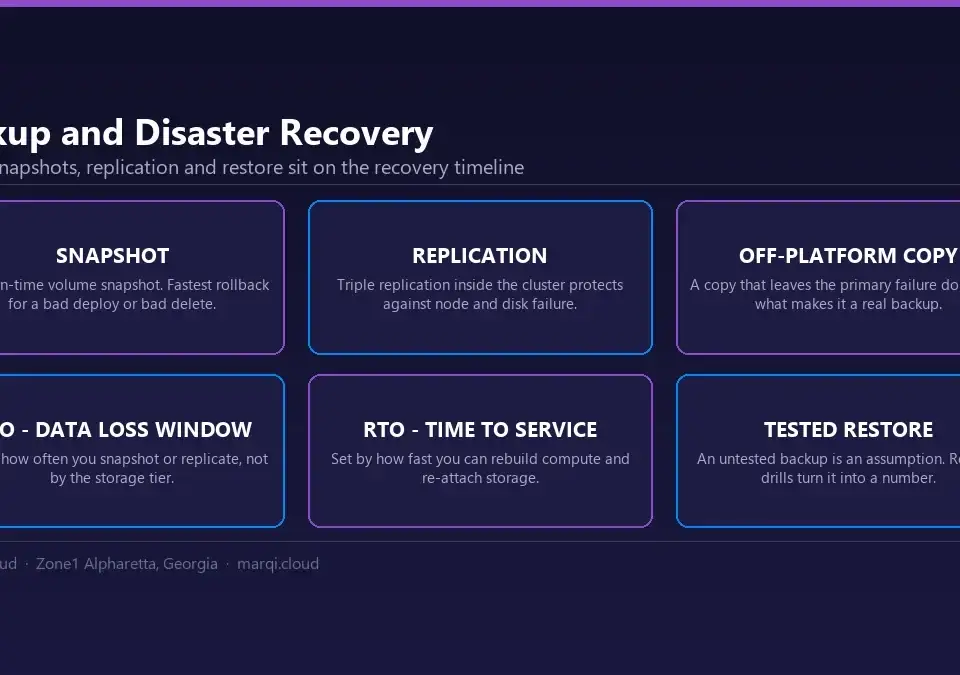
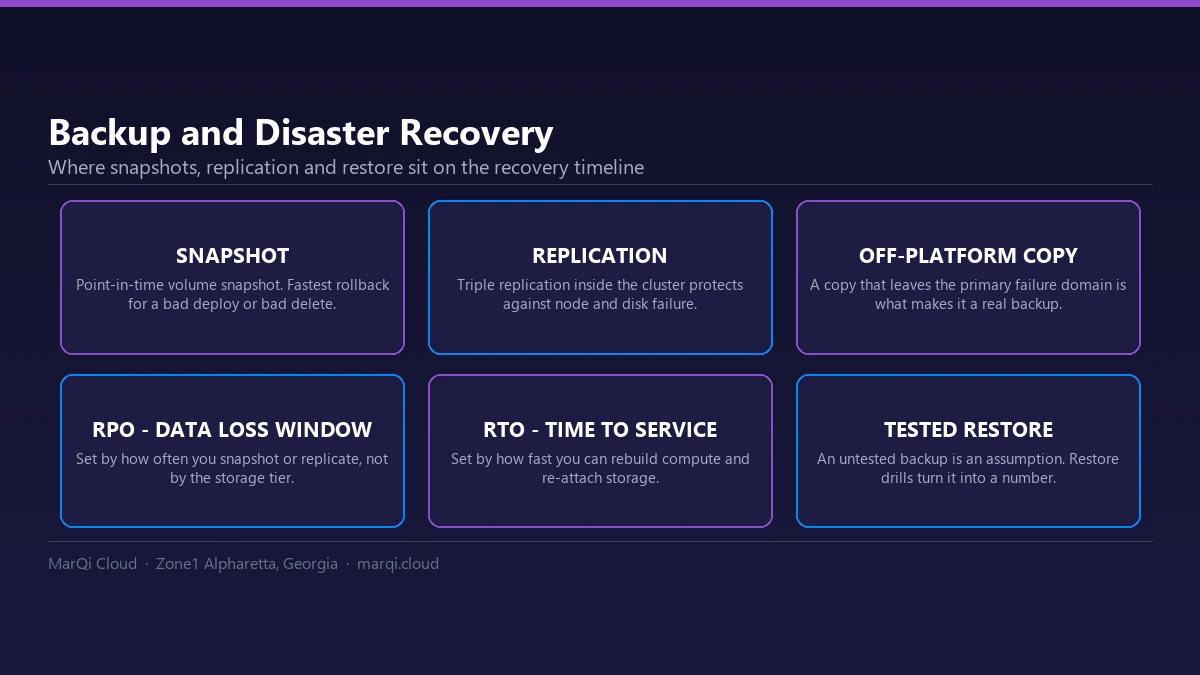
- Integrate with Disaster Recovery Plans: Ensure that your automated failover solutions are part of a comprehensive disaster recovery plan. This can be crucial for regulatory compliance and business continuity.
Example Scenarios
The scenarios below are illustrative examples of how organizations typically apply these practices; they do not describe specific MarQi Cloud customers or measured results.
Example Scenario 1: Financial Services Firm
A financial services company implemented an automated failover system to protect its transactional applications. By using an active-active configuration, the firm was able to maintain service availability during a major network outage. As a result, they achieved a high uptime, significantly reducing customer complaints and preserving their reputation in the market.
Example Scenario 2: E-commerce Platform
An e-commerce platform utilized automated failover to handle peak traffic during holiday sales. With an active-passive setup, they were able to seamlessly switch to their backup systems when their primary servers experienced high loads. This proactive approach not only improved their sales performance but also enhanced the overall customer experience.
Common Questions About Automated Failover
1. What is the difference between automated failover and manual failover?
Automated failover occurs without human intervention, while manual failover requires IT personnel to initiate the switch. Automated solutions significantly reduce the risk of human error and improve response times.
2. How often should I test my automated failover system?
Regular testing is essential; it is recommended to conduct failover tests at least quarterly to ensure the system functions correctly and to identify any potential issues.
3. Can automated failover work with hybrid cloud environments?
Yes, automated failover can be implemented in hybrid cloud environments, allowing businesses to switch between on-premises and cloud resources as needed.
4. What are the costs associated with implementing automated failover?
The costs can vary based on the complexity of the system, the infrastructure used, and the provider. However, the long-term savings from reduced downtime often outweigh the initial investment.
5. Is automated failover suitable for small businesses?
Yes, automated failover solutions can be scaled to fit the needs of small businesses, helping them ensure service availability even with limited resources.
6. How does automated failover enhance data security?
Automated failover can help maintain data availability and integrity during outages, reducing the risk of data loss and ensuring compliance with regulations.
7. What role does data replication play in automated failover?
Data replication ensures that backup systems have the most current data available, allowing for a seamless transition during a failover event.
8. How can I choose the right automated failover solution for my business?
Consider your business needs, the complexity of your infrastructure, and the reliability of the service provider. It’s also beneficial to consult with experts in cloud infrastructure, such as those at MarQi Cloud.
Conclusion
Automated failover is an essential component of modern cloud infrastructure, providing businesses with the tools they need to safeguard against unplanned outages. By implementing automated failover systems, organizations can minimize downtime, enhance reliability, and improve the overall customer experience. As you consider your cloud strategy, partnering with a trusted provider like MarQi Cloud can ensure that you have the infrastructure and support necessary to implement effective failover solutions. Don’t wait for an outage to occur; take proactive steps today to protect your business and maintain operational continuity.