The MarQi Cloud Networking Guide: VLANs, Subnets, and Private Networking Explained
April 26, 2026MarQi Cloud Infrastructure as Code: The Terraform Templates You Need
April 26, 2026
How to Set Up Automated Failover on MarQi Cloud in Under an Hour
In today’s digital age, ensuring business continuity is paramount. With the increasing reliance on cloud infrastructure, having an automated failover system can be a game-changer for organizations seeking to maintain uptime and minimize disruptions. At MarQi Cloud, we offer enterprise-grade cloud infrastructure that supports seamless hybrid cloud deployment models, enabling businesses to set up automated failover quickly and efficiently. In this article, we will walk you through the steps to set up automated failover on MarQi Cloud in under an hour.
Understanding Automated Failover
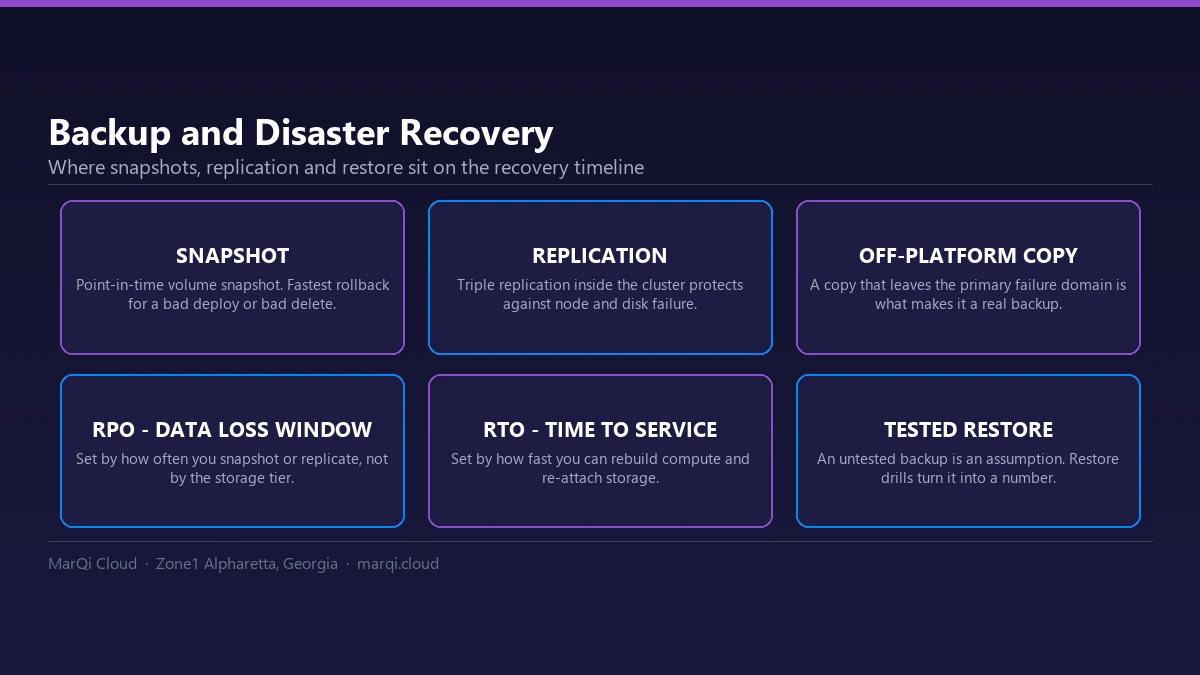
Automated failover is a critical component of disaster recovery strategies. It allows your applications and services to switch to a backup system or location seamlessly when the primary system fails. This process ensures that your business remains operational, even in the face of unexpected outages or failures.
Why Automated Failover Matters
The importance of automated failover cannot be overstated. Here are a few reasons why businesses should implement this feature:
- Minimized Downtime: Automated failover significantly reduces the amount of downtime experienced during outages.
- Business Continuity: It ensures that your applications are always available, enhancing customer trust and satisfaction.
- Cost Efficiency: Maintaining uptime saves businesses from potential revenue loss associated with downtime.
- Streamlined Operations: Automated failover reduces the need for manual intervention, allowing IT teams to focus on other critical tasks.
Prerequisites for Setting Up Automated Failover on MarQi Cloud
Before diving into the setup process, ensure that you have the following prerequisites in place:
- A MarQi Cloud account with access to your dashboard.
- Two or more cloud instances (primary and backup) configured on MarQi Cloud.
- Access to the necessary networking configurations, including DNS settings.
- Basic knowledge of cloud infrastructure and networking concepts.
Step-by-Step Guide to Setting Up Automated Failover
Step 1: Log in to Your MarQi Cloud Account
The first step in setting up automated failover is to log in to your MarQi Cloud account. Navigate to the dashboard where you can manage your cloud resources.
Step 2: Create Your Primary and Backup Instances
If you haven’t already set up your primary and backup instances, you need to create them now:
- Go to the ‘Instances’ section of the dashboard.
- Click on ‘Create Instance’ and follow the prompts to set up your primary instance.
- Repeat the process to create a backup instance, ideally in a different geographic location for added redundancy.
Step 3: Configure Load Balancing
Load balancing is essential for directing traffic between your primary and backup instances:
- Navigate to the ‘Load Balancers’ section in your dashboard.
- Click on ‘Create Load Balancer’ and select your primary instance as the main target.
- Add your backup instance as a secondary target.
- Configure health checks to monitor the status of your primary instance.
Step 4: Set Up Monitoring and Alerts
Monitoring is crucial for automated failover:
- Go to the ‘Monitoring’ section of your dashboard.
- Set up monitoring for your primary instance and configure alerts for any performance issues or outages.
- Ensure that alerts are sent to your IT team via email or SMS for immediate action.
Step 5: Configure DNS Settings
Proper DNS configuration ensures seamless transition between instances:
- Navigate to the ‘DNS Management’ section of your dashboard.
- Point your domain to the load balancer’s IP address instead of directly to the primary instance.
- Set a low TTL (Time to Live) for DNS records to facilitate faster failover.
Step 6: Test the Failover System
Before going live, it’s crucial to test your failover setup:
- Simulate a failure by shutting down your primary instance.
- Monitor the load balancer to ensure traffic is redirected to the backup instance.
- Verify that all applications and services remain operational during the failover process.
Step 7: Document Your Setup
Documentation is key to efficient management:
- Document the failover process, including configurations and contact points for your IT team.
- Make sure your team is trained on how to respond to failover situations when they occur.
Conclusion
Setting up automated failover on MarQi Cloud is a straightforward process that can be accomplished in under an hour. By following these steps, you can ensure that your business maintains continuity and minimizes downtime during outages. With our enterprise-grade cloud infrastructure, hybrid cloud deployment models, and US-based support, MarQi Cloud is committed to providing you with the tools needed for a resilient and reliable cloud experience.
Frequently Asked Questions (FAQs)
1. What is automated failover?
Automated failover is a process that automatically switches your applications and services to a backup system when the primary system fails.
2. How does MarQi Cloud support automated failover?
MarQi Cloud offers enterprise-grade cloud infrastructure and hybrid cloud deployment models that facilitate quick and efficient automated failover setups.
3. What are the benefits of using automated failover?
Benefits include minimized downtime, enhanced business continuity, cost efficiency, and streamlined operations.
4. How can I monitor my cloud instances on MarQi Cloud?
You can monitor your instances through the ‘Monitoring’ section in the MarQi Cloud dashboard, where you can set alerts for performance issues.
5. Do I need multiple instances for automated failover?
Yes, you need at least two instances: a primary and a backup to facilitate effective failover.
6. What is load balancing, and why is it important?
Load balancing directs traffic between multiple instances, ensuring that if one fails, the other can handle the traffic without interruption.
7. How can I test my automated failover setup?
You can test it by simulating a failure of the primary instance and checking if the system automatically redirects traffic to the backup instance.
8. Can I adjust my DNS settings during setup?
Yes, you should configure your DNS settings to point to the load balancer’s IP address for seamless failover.
9. How long does it take to set up automated failover on MarQi Cloud?
With the right preparations, you can set up automated failover in under an hour.
10. Where can I find support if I encounter issues?
MarQi Cloud offers US-based infrastructure and support, which you can reach at +1 770-369-9321 for assistance.