Why Parallel Running During Migration Validates Cloud Performance Before Cutover
July 18, 2026
The Ultimate Guide to Documenting Your Cloud Migration Process for Compliance
July 18, 2026

The Complete Guide to Migrating from Bare Metal to Virtualized Cloud Infrastructure
In today’s rapidly evolving technological landscape, businesses are increasingly recognizing the need to transition from traditional bare metal servers to more dynamic and scalable virtualized cloud infrastructure. This comprehensive guide will walk you through the entire migration process, helping you understand the benefits, challenges, and best practices involved in making this critical transition. By the end of this article, you will be equipped with the knowledge you need to successfully migrate to a virtualized cloud environment while maximizing your organization’s operational efficiency and cost-effectiveness.
Understanding Bare Metal Servers
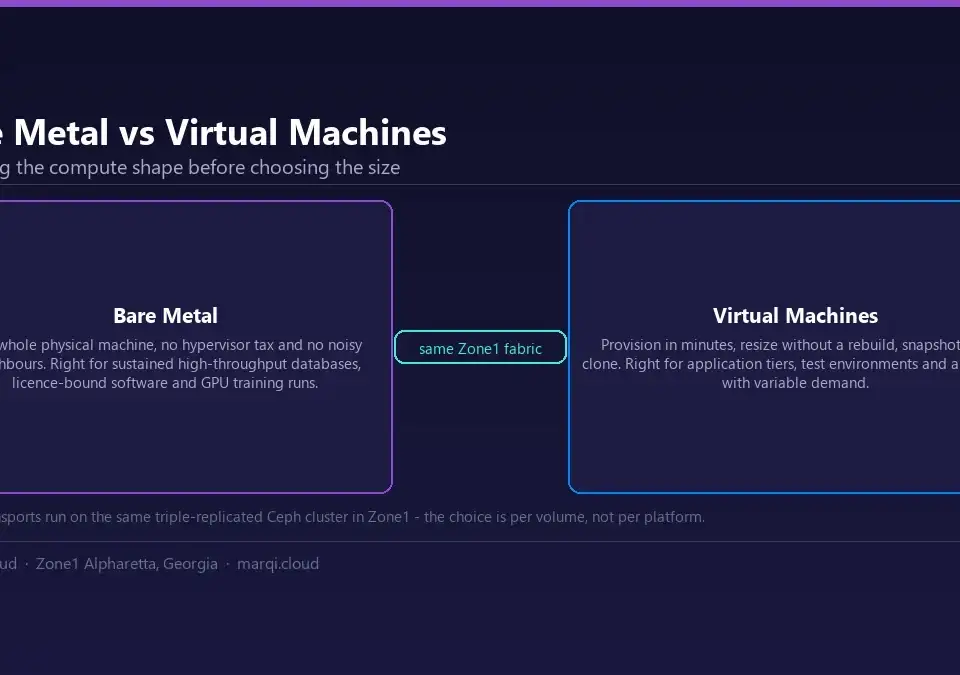
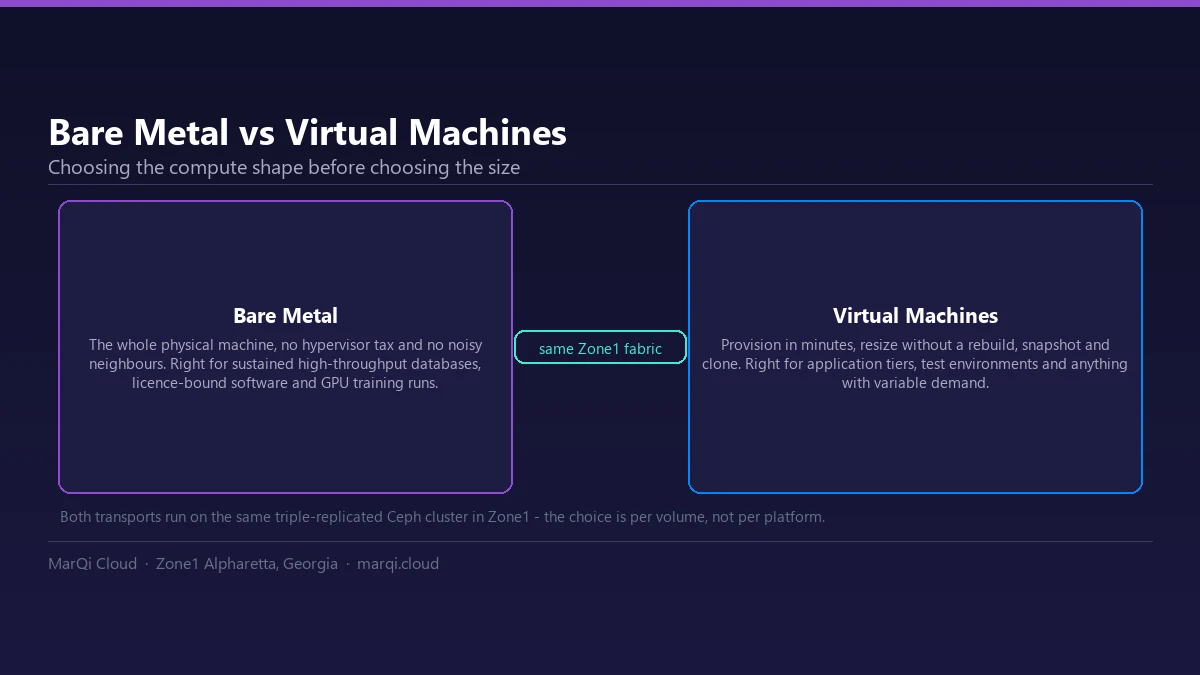
Bare metal servers refer to physical servers that are dedicated to a single tenant, providing complete control over the hardware and operating system. This traditional setup has been the backbone of many enterprise IT infrastructures for years. However, bare metal servers come with several limitations, including:
- High upfront costs for hardware acquisition and maintenance.
- Inflexibility to scale resources on-demand.
- Longer deployment times due to hardware provisioning.
As businesses grow, these limitations can hinder operational efficiency and affect responsiveness to market changes. This sets the stage for the transition to virtualized cloud infrastructure.
Benefits of Virtualized Cloud Infrastructure
Switching to virtualized cloud infrastructure offers numerous advantages that can significantly enhance your organization’s agility and performance:
1. Cost Efficiency
Virtualized environments reduce the need for extensive hardware investments. With a pay-as-you-go model, businesses only pay for the resources they consume, which can lead to substantial cost savings. Organizations can reduce IT costs by transitioning to the cloud.
2. Scalability
Cloud environments allow organizations to scale resources up or down based on demand. This flexibility is especially beneficial during peak business periods or sudden growth phases. Virtualization enables rapid deployment of additional resources without the need for physical hardware.
3. Enhanced Performance
Virtualized cloud infrastructure often leads to improved performance through load balancing and resource allocation. This optimization ensures that applications run smoothly, providing users with a seamless experience.
4. Improved Disaster Recovery
Cloud solutions often come with built-in disaster recovery options, ensuring business continuity. In contrast, bare metal environments require separate, often costly, disaster recovery solutions. With cloud-based backups, organizations can quickly recover from failures and minimize downtime.
5. Security and Compliance
Leading cloud providers invest heavily in security measures and compliance certifications, ensuring that data is protected against breaches. For instance, MarQi Cloud offers secure enterprise hosting solutions that comply with industry regulations, making them ideal for sensitive data management.
Key Considerations Before Migrating
Before embarking on your migration journey, consider the following key factors:
1. Assess Your Current Infrastructure
Evaluate the existing hardware, software, and applications in your bare metal environment. Understanding your current setup will help identify what can be migrated, what needs upgrading, and what can be phased out.
2. Define Your Goals
What do you hope to achieve with the migration? Whether it’s reducing costs, improving performance, or enhancing security, having clear objectives will guide your strategy.
3. Choose the Right Cloud Provider
Selecting a reliable cloud provider is crucial. Look for a partner that understands your industry and offers tailored solutions. MarQi Cloud, for example, specializes in hybrid cloud infrastructure, providing flexible and scalable solutions for enterprise-level organizations.
4. Develop a Migration Plan
Creating a detailed migration plan will help minimize disruptions. Outline the timeline, resource allocation, and roles of team members involved in the process.
Step-by-Step Migration Process
Now that you understand the benefits and considerations, let’s explore the steps involved in migrating from bare metal to virtualized cloud infrastructure:
Step 1: Create a Migration Strategy
Start by documenting your current infrastructure and mapping out how each component will transition to the cloud. This includes applications, databases, and services. Use tools like the Google Cloud Migration Strategy as a reference.
Step 2: Choose a Migration Method
There are several migration methods to consider:
- Lift and Shift: Move applications as they are to the cloud without significant changes. This method is quick but may not leverage cloud-native features.
- Refactor: Modify applications to better fit the cloud environment, optimizing performance and cost.
- Rebuild: Completely redesign applications to take full advantage of cloud capabilities, often resulting in the most efficiency.
Step 3: Conduct a Pilot Migration
Before the full-scale migration, conduct a pilot migration with a non-critical application. This allows you to test the process, identify potential issues, and fine-tune your strategy.
Step 4: Execute the Migration
Once the pilot is successful, execute the full migration. Monitor performance closely during this phase, and be prepared to address any unforeseen challenges.
Step 5: Validate and Optimize
After migration, validate that all applications are functioning correctly. Optimize configurations to ensure optimal performance, and leverage cloud-native features for improved efficiency.
Post-Migration Best Practices
After completing your migration, implement these best practices to ensure ongoing success:
1. Regular Monitoring and Maintenance
Utilize monitoring tools to keep track of performance, security, and compliance. Regular audits will help identify areas for improvement.
2. Train Your Team
Ensure that your IT team is well-trained in managing virtualized cloud infrastructure. This training will help them leverage the full potential of the cloud and address issues proactively.
3. Review and Adjust Your Cloud Strategy
Continuously review your cloud strategy to align with business goals and changing market conditions. This adaptability will keep your infrastructure relevant and efficient.
Common Challenges and How to Overcome Them
Transitioning to virtualized cloud infrastructure can present challenges. Here are some common issues and strategies to mitigate them:
1. Data Security Concerns
Many organizations worry about data security in the cloud. To address this, choose a cloud provider with robust security protocols and compliance certifications, such as MarQi Cloud’s secure enterprise hosting solutions.
2. Downtime During Migration
Minimize downtime by carefully planning the migration process and conducting thorough testing. Implementing a phased migration approach can also help reduce disruptions.
3. Resistance to Change
Change can be met with resistance from employees. Engage teams early in the process, providing them with training and addressing their concerns to foster a culture of acceptance.
Conclusion
Migrating from bare metal to virtualized cloud infrastructure is a strategic move that can significantly enhance your organization’s agility, scalability, and cost-efficiency. By understanding the benefits, carefully planning your migration, and implementing best practices, you can ensure a seamless transition that positions your business for future growth. For tailored solutions to meet your cloud infrastructure needs, consider partnering with MarQi Cloud, where we specialize in providing enterprise-grade cloud solutions that empower businesses to thrive.
FAQs
1. What is the difference between bare metal and cloud hosting?
Bare metal hosting involves dedicated physical servers, while cloud hosting utilizes virtualized resources spread across multiple servers, offering greater flexibility and scalability.
2. How long does it take to migrate to cloud infrastructure?
The timeline for migration varies based on the complexity of your infrastructure and the chosen migration method, ranging from weeks to several months.
3. What are the costs associated with cloud migration?
Costs can include cloud service fees, migration tools, and potential consulting services. It’s essential to assess your specific needs to estimate total expenses accurately.
4. Will migrating to the cloud improve my application performance?
Yes, cloud environments typically enhance application performance through optimized resource allocation and load balancing.
5. What security measures should I consider during migration?
Implement encryption, access controls, and choose a cloud provider with robust security certifications to protect your data during migration.
6. Can I migrate without downtime?
While it may be challenging to achieve zero downtime, careful planning and a phased approach can significantly minimize disruptions during migration.
7. How do I choose the right cloud provider?
Evaluate providers based on their offerings, industry expertise, support services, and compliance with regulations relevant to your business.
8. What is the role of virtualization in cloud infrastructure?
Virtualization allows multiple virtual instances to run on a single physical server, optimizing resource utilization and enabling scalability within cloud environments.