Managed Cloud Services vs Hiring In-House: A Comprehensive US Cost Comparison
March 5, 2026
Incident Response in the Cloud: A Comprehensive US Business Runbook
March 5, 2026
24/7 Monitoring: What ‘Real Support’ Should Include (and Red Flags)
In today’s fast-paced digital landscape, businesses rely heavily on their IT infrastructure to operate smoothly and efficiently. As such, having a robust support system in place is essential for maintaining seamless operations. One critical aspect of this support system is 24/7 monitoring. This article explores what real support should include when it comes to 24/7 monitoring, as well as some red flags that businesses should watch out for.
Understanding 24/7 Monitoring
24/7 monitoring refers to the continuous observation of an organization’s IT systems to ensure they are functioning optimally at all times. This includes monitoring servers, networks, applications, and security systems. It allows businesses to detect issues before they escalate into significant problems, minimizing downtime and enhancing productivity.
Key Components of Real Support in 24/7 Monitoring
Proactive Issue Detection
Real support should include proactive monitoring that identifies potential issues before they affect operations. This involves using advanced monitoring tools that can detect anomalies in system performance, alerting support teams to investigate further.
Comprehensive Coverage
A robust 24/7 monitoring service should cover all aspects of your IT infrastructure. This includes:
- Server monitoring
- Network performance monitoring
- Application monitoring
- Database monitoring
- Security monitoring
Expert Support Team
Having a knowledgeable and experienced support team is crucial. Real support means you have access to professionals who can troubleshoot issues effectively and provide solutions swiftly. Look for providers with certified engineers and a proven track record in handling complex IT environments.
Real-time Alerts and Notifications
Effective monitoring should include real-time alerts that notify your team of any issues as they arise. This ensures that problems can be addressed immediately, reducing the risk of downtime.
Regular Reporting and Analytics
Transparent reporting is a hallmark of real support. Your monitoring provider should deliver regular reports outlining system performance, incidents, and resolutions. Analytics can provide insights into trends and help inform future IT strategies.
Business Continuity and Disaster Recovery Solutions
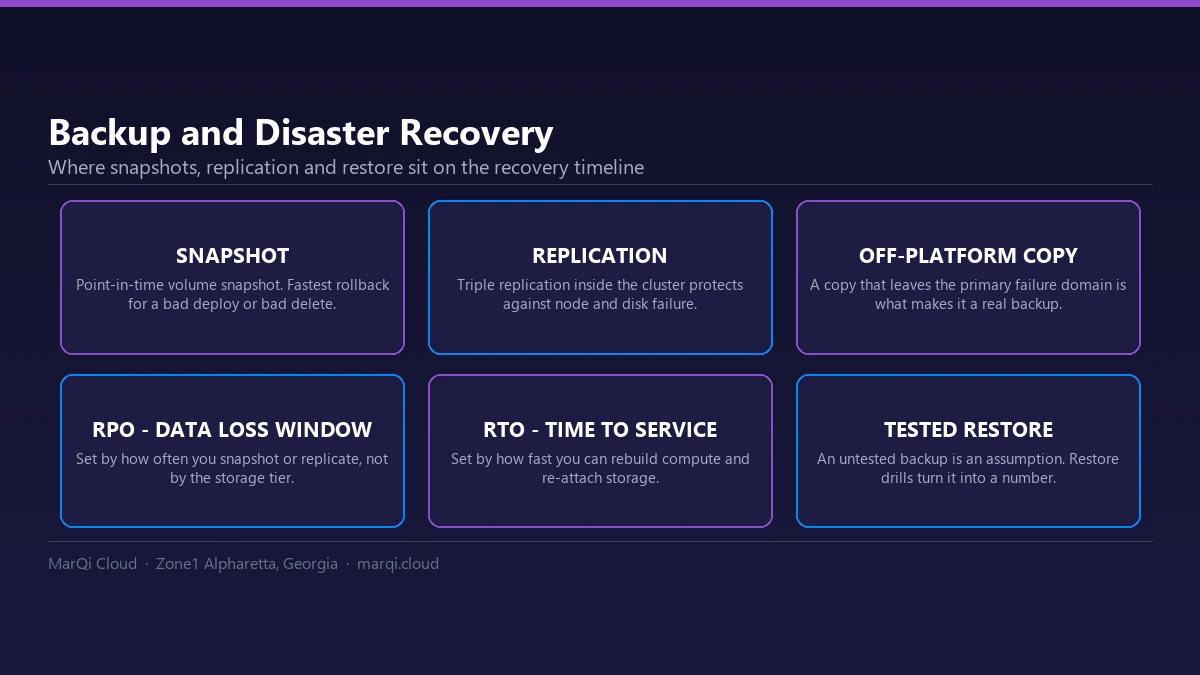
Real support should include business continuity planning and disaster recovery solutions. This ensures that, in the event of a failure, your organization can quickly recover and resume operations with minimal disruption.
Scalable Solutions
Your monitoring provider should offer scalable solutions that can grow with your business. As your infrastructure expands, your monitoring capabilities should adapt to ensure consistent performance and security.
Red Flags to Watch Out For
Lack of Transparency
If a monitoring provider is not transparent about their processes, tools, or performance metrics, this is a red flag. You should have clear visibility into how your systems are monitored and how incidents are handled.
Inadequate Response Times
Real support means timely responses to alerts and issues. If your provider consistently has long response times, it may indicate a lack of resources or prioritization.
Limited Support Hours
True 24/7 monitoring means support is available around the clock. If your provider limits support to certain hours or days, this could lead to gaps in monitoring and increased risk.
Insufficient Expertise
Be wary of providers who cannot demonstrate their expertise in managing your specific IT environment. Lack of experience can lead to inefficient problem-solving and prolonged downtime.
Overpromising and Underdelivering
Providers who promise the world but fail to deliver on their commitments can cause significant issues for your business. Look for reviews and testimonials to gauge their reputation before signing a contract.
Inflexible Pricing Models
Real support should offer flexible pricing that suits your business needs. Be cautious of providers with overly rigid pricing structures that do not accommodate growth or changes in your infrastructure.
Choosing the Right 24/7 Monitoring Provider
When selecting a 24/7 monitoring provider, consider the following tips:
- Assess your specific needs and expectations.
- Research potential providers thoroughly.
- Request case studies or examples of success.
- Evaluate their customer support channels and availability.
- Look for compliance with industry standards and regulations.
Conclusion
24/7 monitoring is an essential component of modern IT support, providing businesses with the peace of mind that their systems are being monitored continuously. By understanding what real support includes and recognizing red flags, organizations can make informed decisions when selecting a monitoring provider. Investing in robust 24/7 monitoring is not just a technical necessity; it is a strategic advantage that can lead to enhanced operational efficiency and business resilience.
FAQ
What is 24/7 monitoring?
24/7 monitoring refers to the continuous oversight of IT systems to ensure optimal performance at all times.
Why is 24/7 monitoring important?
It helps in detecting issues before they escalate, minimizing downtime, and ensuring business continuity.
What should I look for in a 24/7 monitoring provider?
Look for proactive issue detection, comprehensive coverage, expert support teams, real-time alerts, and transparent reporting.
How can I tell if a monitoring provider is reliable?
Check for transparency, response times, and client reviews to assess their reliability.
What are some common red flags in monitoring support?
Lack of transparency, inadequate response times, limited support hours, and insufficient expertise are common red flags.
What is the role of business continuity in monitoring?
Business continuity ensures that operations can resume quickly after a failure, minimizing disruption.
Can 24/7 monitoring scale with my business?
Yes, a good monitoring provider should offer scalable solutions that can adapt as your infrastructure grows.
How often should I receive reports from my monitoring provider?
You should receive regular reports, typically monthly, detailing system performance and incidents.
What types of systems should be monitored?
All critical systems, including servers, networks, applications, and security systems, should be monitored.
How does 24/7 monitoring impact business productivity?
By minimizing downtime and quickly resolving issues, 24/7 monitoring enhances overall business productivity.