The Complete Guide to Warm, Hot, and Cold Disaster Recovery Standby Options
July 21, 2026
Why Application-Aware Backup Is Superior to Volume-Level Backup for Disaster Recovery
July 21, 2026
How Snapshot-Based Recovery Provides Granular Restore Points for Cloud Workloads
In today’s digital landscape, data integrity and availability are paramount for businesses relying on cloud infrastructure. As organizations increasingly migrate workloads to the cloud, the ability to recover data swiftly and effectively becomes a critical factor in ensuring business continuity. This is where snapshot-based recovery comes into play, offering granular restore points that can significantly enhance an organization’s disaster recovery strategy. In this article, we will explore the mechanics of snapshot-based recovery, its benefits, and how it can be effectively implemented within cloud environments, particularly when leveraging services from an enterprise cloud provider like MarQi Cloud.
What is Snapshot-Based Recovery?
Snapshot-based recovery is a data protection mechanism that captures the state of a system at a specific point in time. This process allows organizations to create restore points that can be used to recover data, applications, or entire systems in the event of data loss, corruption, or other disasters. Snapshots are typically lightweight and can be created quickly, making them an efficient solution for maintaining data integrity in cloud workloads.
How Does Snapshot-Based Recovery Work?
The core concept of snapshot-based recovery involves creating a point-in-time copy of data stored on cloud infrastructure. This can include virtual machines (VMs), databases, and file systems. Here’s a breakdown of how snapshot recovery works:
- Initial Snapshot Creation: When a snapshot is first created, it captures the entire state of the data at that moment, including files, settings, and configurations.
- Incremental Snapshots: Subsequent snapshots are often incremental, meaning they only capture changes made since the last snapshot was taken. This significantly reduces storage space and time required for backup.
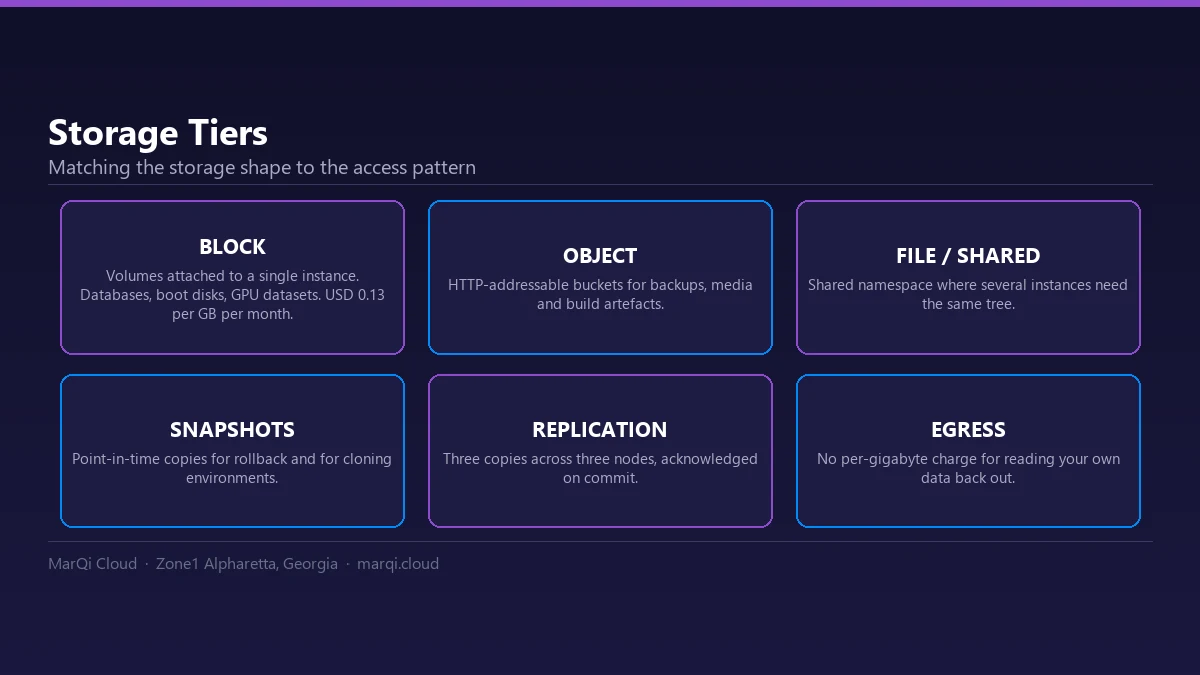
- Storage and Management: Snapshots are stored in a dedicated storage area within the cloud infrastructure, allowing for easy management and retrieval.
- Restoration Process: In the event of data loss, users can restore the system to any available snapshot, effectively rolling back to that point in time.
This method of data protection offers flexibility and speed, essential for maintaining operational efficiency in enterprise environments.
Benefits of Snapshot-Based Recovery
Snapshot-based recovery provides several advantages over traditional backup methods, particularly in cloud environments:
- Granular Restore Points: Snapshots allow organizations to choose from multiple restore points, providing greater flexibility in recovery operations.
- Reduced Recovery Time: With snapshots, recovery can be achieved in minutes, minimizing downtime and ensuring business continuity.
- Efficiency: Incremental snapshots save storage space and reduce the time required to create backups, making them a cost-effective solution.
- Automation: Many cloud providers, including MarQi Cloud, offer automated snapshot scheduling, enabling businesses to maintain up-to-date backups without manual intervention.
- Enhanced Data Protection: Snapshots can be integrated with other disaster recovery solutions, such as replication and failover, to provide a comprehensive data protection strategy.
Implementing Snapshot-Based Recovery in Cloud Workloads
Implementing snapshot-based recovery requires careful planning and execution. Here are some steps to consider:
1. Assess Your Needs
Before implementing snapshots, evaluate your organization’s specific requirements. Consider factors such as:
- Data criticality: Identify which data and applications require frequent snapshots.
- Compliance: Ensure that your snapshot strategy aligns with regulatory requirements.
- Storage capacity: Assess your available storage to accommodate snapshots.
2. Choose the Right Cloud Provider
Select a cloud provider that offers robust snapshot capabilities. For example, MarQi Cloud provides enterprise-grade hybrid cloud infrastructure with advanced snapshot features, enabling businesses to maintain the integrity of their data.
3. Establish a Snapshot Schedule
Create a schedule for snapshot creation that aligns with your business operations. Regular snapshots can help minimize data loss in the event of an incident. Automation tools provided by cloud platforms can assist in this process.
4. Test Your Recovery Process
Regularly test your recovery process to ensure that your snapshots are functioning correctly. This includes verifying that restore points are accessible and that the restoration process is efficient. Conducting periodic tests can help identify potential issues before they become critical.
Best Practices for Snapshot-Based Recovery
To maximize the effectiveness of snapshot-based recovery, consider the following best practices:
- Document Your Processes: Maintain clear documentation of your snapshot procedures, schedules, and recovery processes to ensure consistency and compliance.
- Monitor Storage Consumption: Regularly review your snapshot storage usage to avoid exceeding capacity limits. Set up alerts for storage thresholds.
- Implement Retention Policies: Define retention policies for snapshots to manage storage effectively and ensure that outdated snapshots do not consume valuable resources.
- Integrate with Other Solutions: Combine snapshot-based recovery with other disaster recovery solutions, such as replication and failover, to create a comprehensive data protection strategy.
Comparison of Snapshot-Based Recovery vs. Traditional Backup
| Feature | Snapshot-Based Recovery | Traditional Backup |
|---|---|---|
| Restore Speed | Minutes | Hours to Days |
| Storage Efficiency | Incremental storage, less space | Full backups consume more space |
| Granularity | Multiple restore points | Limited to last backup |
| Automation | Automated scheduling available | Often manual |
| Impact on Performance | Minimal impact | Can slow down systems during backup |
Example Scenarios of Snapshot-Based Recovery
The scenarios below are illustrative examples of how organizations typically apply these practices; they do not describe specific MarQi Cloud customers or measured results.
Example Scenario: Healthcare Provider
A leading healthcare provider utilized snapshot-based recovery to protect sensitive patient data. By implementing regular snapshots, they were able to recover quickly from a ransomware attack, restoring their systems to a state prior to the attack within minutes.
Example Scenario: E-commerce Business
An e-commerce platform experienced a significant data loss due to a server failure. Thanks to their snapshot-based recovery strategy, they restored their entire application environment seamlessly, allowing them to resume operations with minimal disruption during peak shopping hours.
Frequently Asked Questions
1. What is a snapshot in cloud computing?
A snapshot in cloud computing is a point-in-time copy of data that captures the state of a system or volume at a specific moment. It allows for quick restoration in case of data loss or corruption.
2. How often should I take snapshots?
The frequency of snapshots depends on your business needs. For critical data, consider hourly or daily snapshots, whereas less critical data may only need weekly or monthly snapshots.
3. Can I restore individual files from a snapshot?
Yes, many cloud providers allow you to restore individual files from a snapshot, providing granular recovery options.
4. What happens to snapshots when I delete the original data?
Snapshots are independent copies of data. However, if the original data is deleted, the snapshot will remain intact, allowing for recovery.
5. How do snapshots differ from backups?
Snapshots capture the state of data at a specific point in time and can be taken quickly, while traditional backups often involve copying all data, which can take longer and consume more resources.
6. Are snapshots suitable for disaster recovery?
Yes, snapshots are an effective component of disaster recovery strategies, allowing for quick restoration of systems and data.
7. What are the disadvantages of snapshot-based recovery?
Some disadvantages include the potential for storage costs to increase if snapshots are not managed properly and the risk of relying solely on snapshots without additional backup measures.
8. How can I implement snapshot-based recovery with MarQi Cloud?
MarQi Cloud offers comprehensive snapshot capabilities as part of its managed cloud services. Contact us for guidance on implementing snapshot-based recovery tailored to your organization’s needs.
Conclusion
Snapshot-based recovery is a powerful tool for organizations utilizing cloud workloads, offering granular restore points that enhance data protection and minimize downtime. By understanding the mechanics of snapshots, implementing best practices, and leveraging the capabilities of a trusted cloud provider like MarQi Cloud, businesses can ensure their data remains secure and accessible, even in the face of unexpected challenges. For more information on how to implement effective cloud recovery solutions, visit our solutions page or contact us directly.