Software-Defined Storage and Cloud SAN: Why SDS Is Rewriting the Rules of Enterprise Storage
May 14, 2026
MarQi Cloud for Computer Vision Projects: The Infrastructure That Keeps Up With You
May 14, 2026
How to Run Stable Diffusion, LLaMA, and Whisper on MarQi Cloud GPU Nodes
As artificial intelligence continues to evolve, the demand for robust computational resources has never been greater. For developers and researchers looking to harness the power of AI models such as Stable Diffusion, LLaMA, and Whisper, MarQi Cloud offers enterprise-grade GPU nodes that provide the perfect environment for running these advanced models. This article will guide you through the process of setting up and executing these models on MarQi Cloud’s infrastructure.
Understanding the Models
Stable Diffusion
Stable Diffusion is a state-of-the-art generative model primarily used for image synthesis. It allows users to create high-quality images from textual descriptions, making it a powerful tool for artists and designers.
LLaMA
The LLaMA (Large Language Model Meta AI) is designed to facilitate natural language understanding and generation. With its sophisticated architecture, LLaMA can perform a variety of tasks, from text summarization to conversational AI.
Whisper
Whisper is an automatic speech recognition (ASR) system that excels in transcribing audio into text. This model is particularly effective in diverse environments, making it a valuable asset for developers in need of reliable transcription services.
Why Choose MarQi Cloud for GPU Tasks?
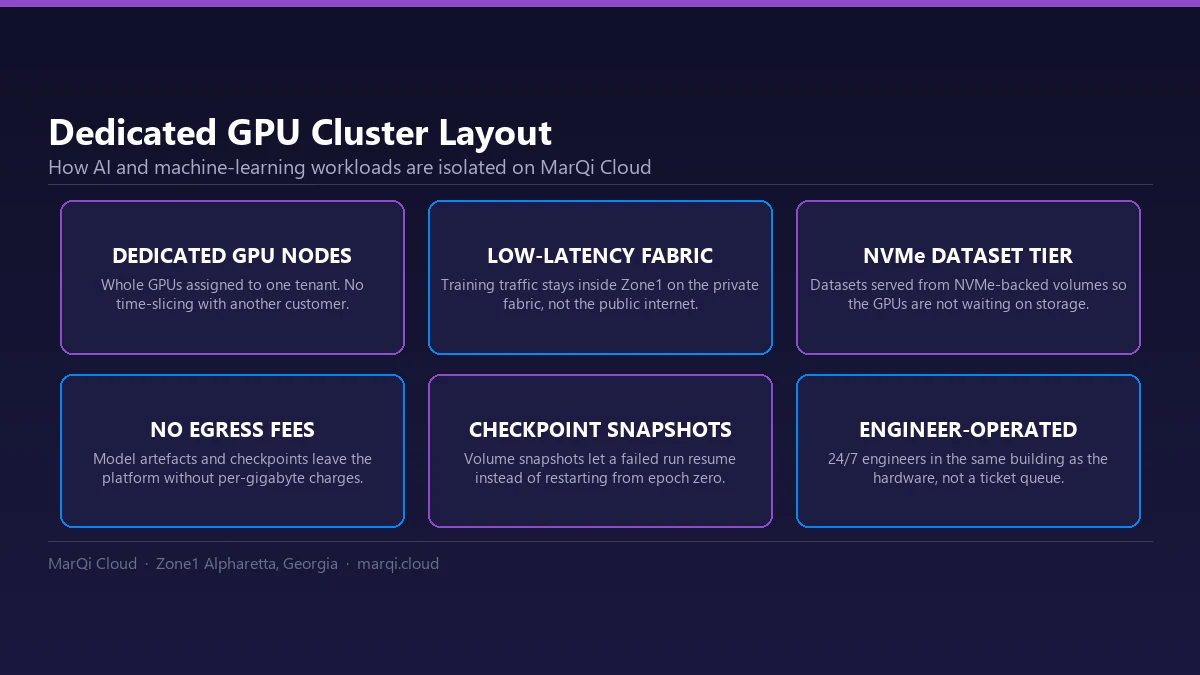
MarQi Cloud provides a hybrid cloud deployment model that allows users to leverage both public and private cloud resources. This flexibility is crucial for running resource-intensive applications like Stable Diffusion, LLaMA, and Whisper. Here are some key benefits:
Enterprise-Grade Cloud Infrastructure
MarQi Cloud’s infrastructure is designed to support high-performance computing tasks with low latency and high availability. This ensures that your AI models run efficiently and effectively.
Private and Secure Hosting Environments
Data security is paramount when working with sensitive information. MarQi Cloud offers secure hosting environments, ensuring that your data is protected at all times.
Scalable Compute and Storage Resources
One of the standout features of MarQi Cloud is its scalable resources. As your project grows, you can easily scale your compute and storage resources to meet demand.
Setting Up Your MarQi Cloud Environment
Step 1: Create an Account
To get started, you need to create an account on the MarQi Cloud platform. Visit the MarQi Cloud website and click on the ‘Sign Up’ button. Fill in the required information and verify your email address.
Step 2: Select GPU Nodes
Once you have created your account, log in to the MarQi Cloud dashboard. Navigate to the ‘Compute’ section and select ‘GPU Nodes.’ Choose the appropriate GPU type based on the requirements of the models you plan to run.
Step 3: Configure Your Instance
After selecting your GPU nodes, you will need to configure your instance. Choose the operating system (Linux is recommended for AI model deployment), select your desired storage options, and set up networking preferences.
Step 4: Launch Your Instance
Once you’ve configured your instance, click on the ‘Launch’ button. This will initiate the creation of your virtual machine with the selected GPU resources.
Installing Required Software
Before you can run Stable Diffusion, LLaMA, and Whisper, you need to install the necessary software and dependencies on your GPU node.
Step 1: Connect to Your Instance
After launching your GPU instance, connect to it via SSH. Use the command line to access your instance and begin the installation process.
Step 2: Update Your System
Once connected, ensure that your system is up to date by running:
sudo apt-get update && sudo apt-get upgrade
Step 3: Install Python and Pip
Most AI models are built using Python. Install Python and pip, the package manager for Python, using the following command:
sudo apt-get install python3 python3-pip
Step 4: Install Required Libraries
Before installing the models, you need to install libraries such as PyTorch, NumPy, and others. You can do this by running:
pip install torch torchvision torchaudio numpy
Running Stable Diffusion
Step 1: Clone the Stable Diffusion Repository
To run Stable Diffusion, you first need to clone its repository. Execute the following command:
git clone https://github.com/CompVis/stable-diffusion
Step 2: Navigate to the Directory
Change into the newly created directory:
cd stable-diffusion
Step 3: Install Additional Dependencies
Run the following command to install any additional dependencies required by Stable Diffusion:
pip install -r requirements.txt
Step 4: Generate Images
Now, you can generate images using Stable Diffusion. Use the command:
python scripts/txt2img.py --prompt 'Your text prompt here'
Running LLaMA
Step 1: Clone the LLaMA Repository
Similar to Stable Diffusion, start by cloning the LLaMA repository:
git clone https://github.com/facebookresearch/llama
Step 2: Navigate to the LLaMA Directory
Change into the LLaMA directory:
cd llama
Step 3: Install Dependencies
Install the dependencies required for LLaMA:
pip install -r requirements.txt
Step 4: Running the Model
To run LLaMA, execute the appropriate scripts provided in the repository based on your specific use case.
Running Whisper
Step 1: Clone the Whisper Repository
Clone the Whisper repository from GitHub:
git clone https://github.com/openai/whisper
Step 2: Navigate to the Whisper Directory
Change into the Whisper directory:
cd whisper
Step 3: Install Whisper Dependencies
Install the necessary dependencies:
pip install -r requirements.txt
Step 4: Transcribe Audio
To transcribe an audio file, use the following command:
python transcribe.py audio_file.mp3
Best Practices for Running AI Models on MarQi Cloud
Optimize Resource Usage
Make sure to monitor your resource usage and optimize accordingly. You can adjust the number of GPU nodes or the amount of storage based on your project’s needs.
Regular Backups
Implement a disaster recovery plan by regularly backing up your data to avoid any potential losses.
Stay Updated
Regularly check for updates from the model repositories and MarQi Cloud to ensure you are using the latest features and security enhancements.
Conclusion
Running AI models like Stable Diffusion, LLaMA, and Whisper on MarQi Cloud’s GPU nodes is a straightforward process that can significantly enhance your AI development capabilities. With enterprise-grade infrastructure, scalable resources, and secure environments, MarQi Cloud is an excellent choice for your AI projects. Start harnessing the power of AI today with MarQi Cloud!
FAQs
1. What types of GPU nodes does MarQi Cloud offer?
MarQi Cloud offers a variety of GPU nodes optimized for different workloads, including high-performance options for AI and machine learning tasks.
2. Can I run multiple models simultaneously on MarQi Cloud?
Yes, MarQi Cloud’s scalable infrastructure allows you to run multiple models simultaneously, provided you allocate sufficient resources.
3. Is data secure on MarQi Cloud?
Yes. MarQi Cloud provides private and secure hosting environments to ensure your data remains protected.
4. What is the pricing model for MarQi Cloud?
MarQi Cloud offers flexible pricing models based on usage, allowing you to choose the best option for your budget and needs.
5. Do I need prior experience to run these models?
While some familiarity with command-line interfaces and Python is helpful, our step-by-step guide is designed to assist even beginners.
6. Can I integrate MarQi Cloud with other services?
Yes, MarQi Cloud is designed to integrate seamlessly with various cloud services and APIs, enhancing your workflow.
7. What support does MarQi Cloud provide?
MarQi Cloud offers US-based infrastructure and support, ensuring you have assistance whenever you need it.
8. How can I contact MarQi Cloud for more information?
You can contact MarQi Cloud at +1 770-369-9321 for any inquiries or support needs.