10 Compelling Reasons to Host Your AI Startup in Georgia
March 13, 2026
Secure GPU Hosting in Atlanta – Compliance & Best Practices
March 13, 2026
RTX 4090 vs A100 for deep learning: which one should you train on?
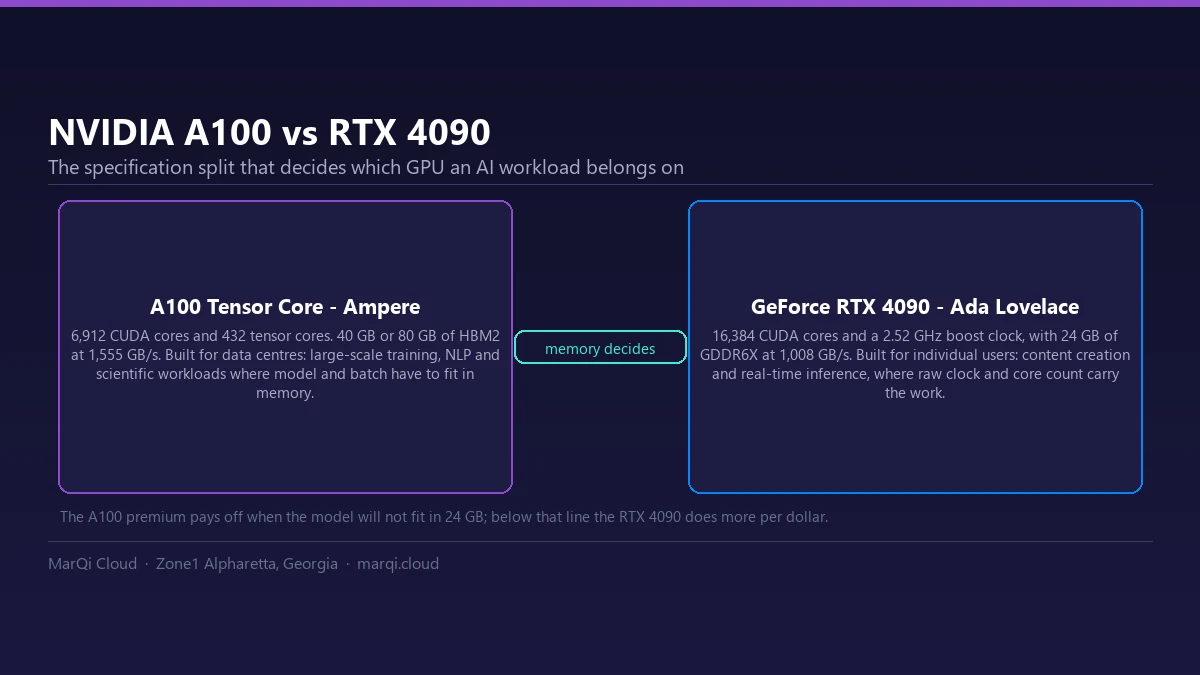
The 4090 wins on raw price-per-FLOP for single-GPU work. The A100 wins the moment a model stops fitting in 24 GB or a run needs several GPUs talking to each other: 40-80 GB of HBM and NVLink change what is possible, not just what is fast. Memory capacity decides before throughput does.
NVIDIA A100 vs RTX 4090 for AI Workloads in 2026: A Comprehensive Comparison
As artificial intelligence (AI) continues to evolve, the demand for powerful computing resources has skyrocketed. Among the leading contenders in the graphics processing unit (GPU) market are NVIDIA’s GeForce RTX 4090 and the NVIDIA A100 Tensor Core GPU. Both GPUs are designed to tackle AI workloads, but they cater to different segments of the market and offer distinct advantages. In this article, we will delve deep into the features, performance, and use cases of the NVIDIA 4090 and A100 for AI workloads in 2026.
What Do AI Workloads Demand From a GPU?
Before we compare the two GPUs, it is essential to understand what AI workloads entail. AI workloads typically involve extensive data processing, including tasks such as machine learning, deep learning, and neural network training. These tasks require substantial computational power, memory bandwidth, and efficiency. Therefore, selecting the right GPU can significantly impact performance, cost, and deployment.
NVIDIA RTX 4090: Overview and Features
Architecture
The NVIDIA GeForce RTX 4090 is based on the Ada Lovelace architecture, which is optimized for gaming and high-performance computing. It features advanced ray tracing capabilities and supports DLSS (Deep Learning Super Sampling), making it a top choice for gamers and content creators alike. However, its architecture also lends itself to AI workloads, particularly in areas such as image processing and real-time inference.
Performance Metrics
In terms of raw performance, the RTX 4090 boasts impressive specifications:
- CUDA Cores: 16,384
- Base Clock: 2.23 GHz
- Boost Clock: 2.52 GHz
- Memory: 24 GB GDDR6X
- Memory interface: 384-bit GDDR6X
- NVLink: not supported (NVIDIA lists SLI-Ready: No)
These specifications indicate that the RTX 4090 can handle demanding AI tasks, especially those requiring extensive parallel processing.
Use Cases
The GeForce RTX 4090 is ideal for various AI applications, including:
- Real-time image and video processing
- Gaming AI and physics simulations
- Augmented reality (AR) and virtual reality (VR) applications
NVIDIA A100: Overview and Features
Architecture
The NVIDIA A100 Tensor Core GPU is built on the Ampere architecture and specifically designed for AI and high-performance computing (HPC) tasks. The A100 excels in handling large-scale machine learning and deep learning workloads, making it a popular choice among data centers and cloud service providers.
Performance Metrics
The A100 GPU offers superior performance metrics, including:
- CUDA Cores: 6,912
- Tensor Cores: 432
- Interconnect: NVLink bridge 600 GB/s (PCIe Gen4: 64 GB/s)
- Memory: 40 GB HBM2 or 80 GB HBM2e
- Memory Bandwidth: 1,555 GB/s (40 GB) · 1,935 GB/s (80 GB PCIe) · 2,039 GB/s (80 GB SXM)
While the A100 has fewer CUDA cores than the RTX 4090, its Tensor Cores are specifically optimized for AI tasks, contributing to its exceptional performance in neural network training and inference.
Use Cases
The A100 is tailored for demanding AI applications, including:
- Large-scale deep learning model training
- Natural language processing (NLP)
- Data analytics and scientific simulations
NVIDIA A100 vs 4090 Deep Learning Performance Comparison
| Specification | GeForce RTX 4090 | A100 Tensor Core |
|---|---|---|
| Architecture | Ada Lovelace | Ampere |
| CUDA cores | 16,384 | 6,912 |
| Tensor cores | — | 432 |
| Memory | 24 GB GDDR6X | 40 GB HBM2 · 80 GB HBM2e |
| Memory bandwidth | 384-bit GDDR6X interface | 1,555 GB/s (40 GB) · 1,935 GB/s (80 GB PCIe) · 2,039 GB/s (80 GB SXM) |
| Boost clock | 2.52 GHz | — |
| Board power | 450 W total graphics power (850 W recommended system power) | 300 W (PCIe) · 400 W (SXM) |
| Partitioning | Not supported | Multi-Instance GPU: up to 7 isolated instances, 10 GB each on the 80 GB model |
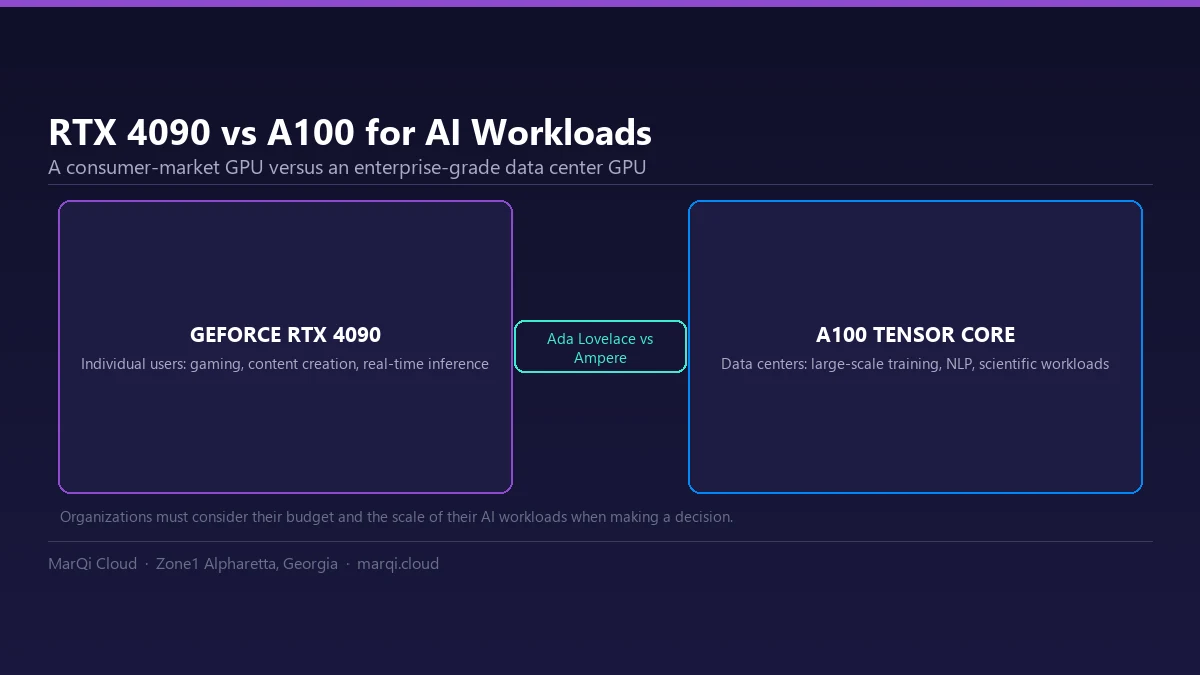
| Best suited for | Individual users: gaming, content creation, real-time inference | Data centers: large-scale training, NLP, scientific workloads |
Specifications as published by NVIDIA: A100 product page (80 GB variants, NVLink and TDP), A100 PCIe product brief (40 GB variant) and GeForce RTX 4090 page. NVIDIA does not publish a memory bandwidth figure for the RTX 4090; the memory interface is listed instead.
NVIDIA A100 40GB vs 80GB: the four shipping variants
The A100 is not one card. NVIDIA ships it in four configurations, and the memory figure people quote most often belongs to only one of them:
| Variant | Memory | Memory bandwidth | Board power | Multi-Instance GPU |
|---|---|---|---|---|
| A100 40GB PCIe | 40 GB HBM2 | 1,555 GB/s | 250 W | Up to 7 MIGs @ 5 GB |
| A100 80GB PCIe | 80 GB HBM2e | 1,935 GB/s | 300 W | Up to 7 MIGs @ 10 GB |
| A100 40GB SXM | 40 GB HBM2 | 1,555 GB/s | 400 W | Up to 7 MIGs @ 5 GB |
| A100 80GB SXM | 80 GB HBM2e | 2,039 GB/s | 400 W | Up to 7 MIGs @ 10 GB |
Both PCIe boards use a 5120-bit memory bus; the memory clock is 1215 MHz on the 40 GB PCIe card and 1512 MHz on the 80 GB PCIe card. NVIDIA does not publish these two figures for the SXM modules. Interconnect is the same on paper for the PCIe boards: three NVLink bridges deliver 600 GB/s between a pair of GPUs, against 64 GB/s over PCIe Gen4.
Source: NVIDIA A100 datasheet (all four variants) and the A100 40GB / 80GB PCIe product briefs, Table 2 “Memory Specifications” — datasheet PDF.
Benchmark Tests
As both GPUs serve different purposes, benchmark tests can provide valuable insights into their performance for AI workloads. In various tests, the A100 has consistently outperformed the RTX 4090 in tasks specifically designed for AI and machine learning. For instance, when training large neural networks, the A100 demonstrates significant speed advantages due to its Tensor Cores.
Efficiency and Scalability
Energy efficiency is another crucial factor when evaluating GPUs for AI workloads. The A100 is designed to optimize power consumption while delivering peak performance, making it a preferred choice for data centers. In contrast, the RTX 4090, while powerful, is more suited for individual users and gaming environments. Its energy efficiency may not match that of the A100 in large-scale deployments.
A100 vs RTX 4090: Cost Considerations
When selecting between the RTX 4090 and A100, cost is a significant factor. The RTX 4090 is priced for consumer markets, making it accessible for individual users and small businesses. Conversely, the A100 comes with a higher price tag, reflecting its enterprise-grade capabilities and performance. Two figures decide most of the running cost before any hourly rate enters the picture. The first is board power: NVIDIA rates the RTX 4090 at 450 W total graphics power and recommends an 850 W system, while the 80 GB A100 PCIe card is rated at 300 W — less power for three times the memory. The second is partitioning: a single A100 can be split into up to seven isolated Multi-Instance GPU slices (10 GB each on the 80 GB model), so one card can serve several smaller jobs instead of sitting idle between large ones. MarQi Cloud quotes GPU configurations rather than publishing hourly rates — see pricing to ask for a quote. Organizations must consider their budget and the scale of their AI workloads when making a decision.
Deployment Scenarios
Hybrid Cloud Solutions
For businesses considering a hybrid cloud deployment, both GPUs can be utilized effectively. The RTX 4090 can serve as a powerful workstation for developers and data scientists who require high-performance graphics for AI model development. Meanwhile, the A100 can be deployed in the cloud for large-scale training and inference tasks.
On-Premise Infrastructure
Organizations that prefer on-premise solutions may opt for the A100, as it offers enhanced performance and scalability for AI workloads. The A100’s ability to handle multiple concurrent tasks makes it ideal for organizations with demanding computational needs.
Future-Proofing Your AI Strategy
As we look forward to 2026, companies must consider how their GPU choices align with future AI developments. The NVIDIA 4090 may be suitable for smaller-scale applications and development environments, but the A100’s architecture is more aligned with the evolving demands of AI workloads.
Conclusion
In conclusion, the choice between the NVIDIA 4090 and A100 ultimately depends on the specific use case, budget, and deployment preferences. The RTX 4090 excels in consumer applications and can provide significant power for AI tasks, while the A100 is designed for enterprise-level performance and scalability. As AI technology continues to advance, making an informed decision will be crucial for organizations looking to leverage the full potential of their AI workloads.
FAQs
1. What are the specifications of the NVIDIA A100 40GB?
The A100 40GB PCIe card pairs 40 GB of HBM2 memory on a 5120-bit bus, clocked at 1215 MHz, with peak memory bandwidth up to 1555 GB/s. Its thermal design power is 250 W, and Multi-Instance GPU can divide it into up to seven isolated 5 GB instances. Thermal design power is also what drives the cooling decision at rack level; why dense AI workloads push data centers toward liquid cooling takes that question from the card to the facility.
2. Can the RTX 4090 handle AI workloads effectively?
Yes, the RTX 4090 can handle AI workloads, particularly those related to image processing and real-time inference.
3. What drives the cost of running an A100 compared with an RTX 4090?
Power and capacity, more than the card itself. NVIDIA rates the RTX 4090 at 450 W total graphics power and recommends an 850 W system; the A100 80GB PCIe is rated at 300 W while carrying more than three times the memory. MarQi Cloud quotes GPU configurations individually rather than listing prices.
4. How do the power consumption levels compare between the two GPUs?
NVIDIA rates the GeForce RTX 4090 at 450 W total graphics power, with an 850 W system power supply recommended. The A100 is rated at 250 W for the 40GB PCIe card and 300 W for the 80GB PCIe card; SXM modules are rated at 400 W.
5. What is the primary advantage of the A100 over the RTX 4090?
The A100’s primary advantage is its Tensor Cores, which are optimized for AI workloads, making it superior for neural network training and inference.
6. Does the RTX 4090 support NVLink?
No. NVIDIA’s specifications list the GeForce RTX 4090 as NVLink (SLI-Ready): No, so multiple cards cannot be linked directly. The A100 uses three NVLink bridges delivering 600 GB/s between cards, ten times the bandwidth of PCIe Gen4, which is what makes multi-GPU training practical.
7. How does the price of the RTX 4090 compare to the A100?
The RTX 4090 is significantly less expensive than the A100, which is priced for enterprise use.
8. Can a single A100 be shared between workloads?
Yes. Multi-Instance GPU partitions one A100 into up to seven fully isolated instances, each with its own memory, cache and compute cores, at 5 GB per instance on the 40GB card and 10 GB on the 80GB card. That raises utilisation when no single job needs the whole GPU.
9. Which GPU is better for cloud-based AI applications?
The A100 is better suited for cloud-based AI applications on dedicated GPU clusters, due to its performance capabilities and efficiency.
10. What should I consider when choosing between the RTX 4090 and A100?
Consider your specific use case, budget, and whether you need an enterprise-level solution or a consumer-grade GPU for your AI workloads.