Why Network Latency Optimization Is Critical for Real-Time Cloud Applications
August 19, 2026
Ultimate Guide: Benchmarking Cloud Infrastructure Performance Before Choosing a Provider
August 19, 2026

The Complete Guide to Cloud GPU Computing for Machine Learning and AI Workloads
As organizations increasingly adopt machine learning (ML) and artificial intelligence (AI) technologies, the demand for high-performance computing resources has surged. Cloud GPU computing has emerged as a powerful solution, enabling businesses to harness the capabilities of Graphics Processing Units (GPUs) for complex data processing tasks. In this guide, we’ll explore everything you need to know about cloud GPU computing, its benefits for ML and AI workloads, and how MarQi Cloud can provide the right infrastructure to support your needs.
What is Cloud GPU Computing?
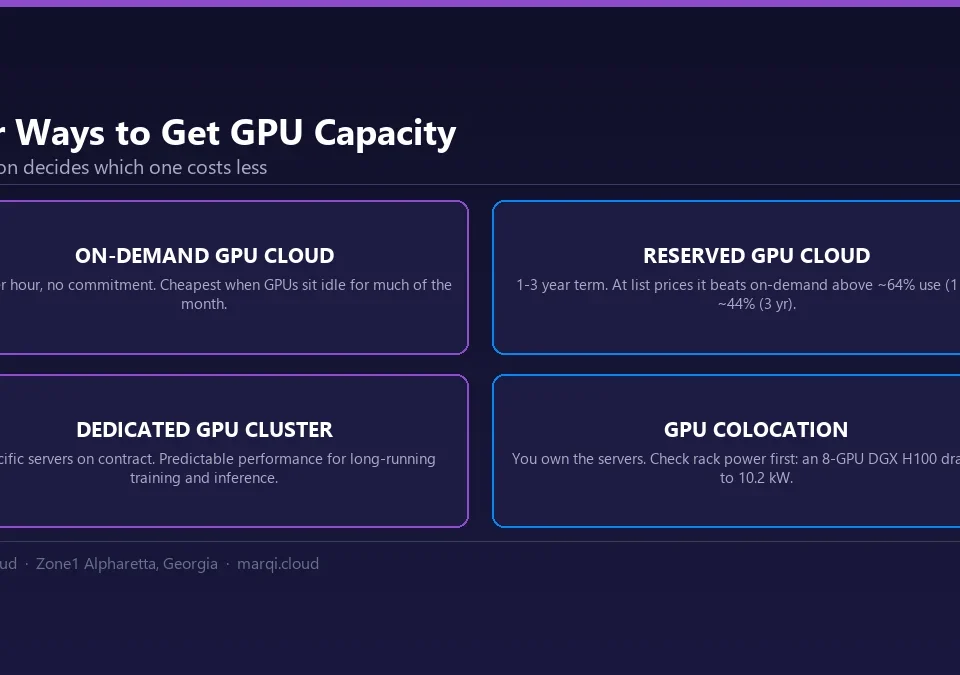
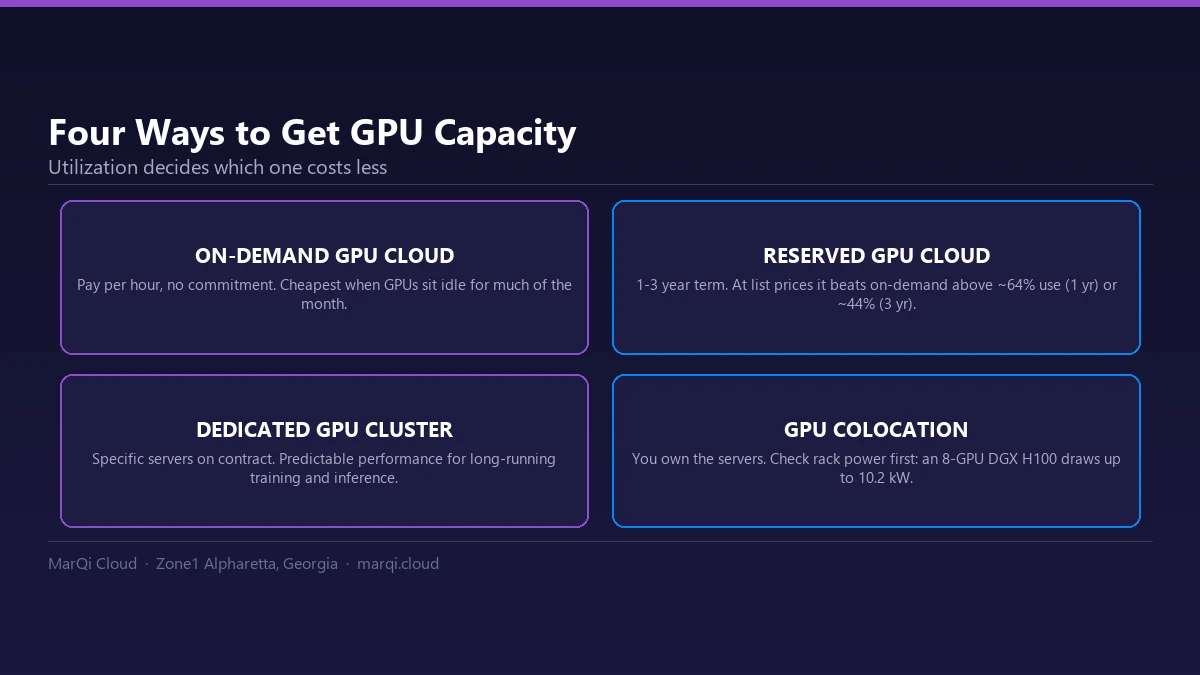
Cloud GPU computing refers to the use of GPUs hosted in the cloud to perform computational tasks, particularly those related to AI and ML. Unlike traditional CPUs, GPUs are optimized for parallel processing, making them ideal for handling large datasets and complex algorithms. This capability is essential for training sophisticated ML models and running AI applications that require significant computational power.
By leveraging cloud infrastructure, organizations can access powerful GPU resources without the need for substantial upfront investment in hardware. This flexibility allows companies of all sizes to scale their computing power according to their needs, whether it’s for short-term projects or ongoing operations.
Benefits of Cloud GPU Computing for AI Workloads
Utilizing cloud GPU computing for AI workloads offers numerous advantages:
- Scalability: Easily scale up or down based on project requirements. With MarQi Cloud’s hybrid cloud solutions, you can dynamically adjust your resources to match your workload demands.
- Cost Efficiency: Pay for only what you use, eliminating the need for significant capital expenditures on hardware. Flexible pricing models offered by MarQi Cloud ensure you get the best value for your investment.
- High Performance: Cloud GPUs provide the computational power necessary for training complex ML models efficiently. This performance translates directly into faster time-to-market for AI applications.
- Accessibility: Access GPU resources from anywhere, enabling remote teams to collaborate effectively. This is particularly beneficial for distributed organizations and businesses with multiple locations.
- Expert Support: With MarQi Cloud’s white-glove managed services, you can rely on expert assistance to optimize your GPU resources and ensure smooth operation.
How Cloud GPU Computing Works
Cloud GPU computing operates on a simple premise: instead of investing in physical hardware, organizations rent GPU resources from cloud providers. Here’s how it works:
- Select a Cloud Provider: Choose a cloud provider that offers GPU services, like MarQi Cloud. Consider factors such as performance, pricing, and support.
- Provision GPU Resources: Using the cloud provider’s dashboard or API, provision the necessary GPU resources based on your workload requirements.
- Deploy Your Application: Upload your machine learning model or AI application to the cloud environment. This can include data preprocessing, model training, and inference.
- Run Your Workloads: Execute your workloads on the cloud GPUs. The cloud provider handles the underlying infrastructure, allowing you to focus on your application.
- Monitor and Optimize: Use monitoring tools to track performance and resource usage. Optimize your workloads based on insights gained from this data.
Getting Started with Cloud GPU Computing
To effectively utilize cloud GPU computing for your AI and ML workloads, follow these steps:
- Identify Your Use Case: Determine the specific AI or ML tasks you want to accomplish. This could include model training, data analysis, or real-time inference.
- Choose the Right GPU: Different GPUs offer varying levels of performance. Research which GPU models are best suited for your use case. NVIDIA’s A100, for instance, is ideal for deep learning tasks.
- Set Up Your Environment: Create an account with a cloud provider like MarQi Cloud. Familiarize yourself with their interface and tools.
- Data Preparation: Ensure your data is clean and formatted correctly for your ML models. This step is crucial for achieving accurate results.
- Deploy and Test: Deploy your model on the cloud GPU and run tests to evaluate performance. Make adjustments as necessary to improve efficiency.
Cloud GPU vs. Local GPU: A Comparison
When deciding between cloud GPUs and local GPU setups, consider the following comparison:
| Feature | Cloud GPU | Local GPU |
|---|---|---|
| Initial Cost | Low (pay-as-you-go) | High (hardware investment) |
| Scalability | High (easily adjustable) | Low (limited by hardware) |
| Maintenance | Managed by provider | Requires in-house IT |
| Performance | High (latest hardware available) | Variable (depends on setup) |
| Accessibility | Remote access from anywhere | Limited to physical location |
Best Practices for Using Cloud GPU Resources
To maximize the benefits of cloud GPU computing, consider these best practices:
- Optimize Your Code: Ensure your algorithms are efficient and can leverage parallel processing capabilities of GPUs. This optimization can significantly reduce training time.
- Use Batch Processing: Instead of processing data one at a time, use batch processing to take full advantage of GPU capabilities.
- Monitor Resource Usage: Regularly check your GPU usage to prevent over-provisioning or under-utilization of resources. Use monitoring tools provided by your cloud provider.
- Stay Updated: Keep abreast of the latest developments in GPU technology and cloud services. This knowledge can help you make informed decisions about upgrades and optimizations.
- Leverage Managed Services: Consider utilizing managed services from providers like MarQi Cloud, which can help you optimize your infrastructure and ensure best practices are followed.
Frequently Asked Questions
What is GPU computing?
GPU computing refers to the use of Graphics Processing Units to perform complex calculations, particularly for tasks that can be parallelized, such as machine learning and AI workloads.
How does cloud GPU computing differ from traditional computing?
Cloud GPU computing provides on-demand access to powerful GPU resources hosted in the cloud, as opposed to traditional computing, which relies on local hardware.
What are the benefits of using cloud GPUs for machine learning?
Benefits include scalability, cost efficiency, high performance, and accessibility from anywhere.
Can I use cloud GPUs for real-time inference?
Yes, cloud GPUs can be used for real-time inference, making them suitable for applications such as autonomous vehicles and fraud detection.
How do I choose the right cloud GPU provider?
Consider factors such as performance, pricing, support, and the specific features offered by the provider.
What industries benefit most from cloud GPU computing?
Industries such as healthcare, finance, automotive, and entertainment are leveraging cloud GPU computing for various applications.
Are there any downsides to cloud GPU computing?
Potential downsides include dependency on internet connectivity and data security concerns. However, reputable providers like MarQi Cloud implement robust security measures.
How can I optimize my ML models for cloud GPU computing?
Optimize your algorithms for parallel processing, use batch processing, and continuously monitor resource usage to ensure efficiency.
Conclusion
Cloud GPU computing is revolutionizing the way organizations approach machine learning and AI workloads. With the ability to harness powerful GPU resources without significant upfront costs, businesses can scale their operations effectively and efficiently. By choosing a reliable provider like MarQi Cloud, organizations can leverage the full potential of cloud GPU computing to drive innovation and achieve their goals. If you’re ready to explore how cloud GPU solutions can benefit your organization, contact us today to learn more about our offerings.