GPU Server Pricing in Georgia – 2026 Market Guide
March 16, 2026
Bare Metal vs Cloud VMs for AI Training: Which Is Right for Your Project?
March 16, 2026
How do you benchmark GPU hosting performance for a specific workload?
Benchmark with your own workload, not a synthetic score. Run a short version of the real training or inference job, measure end-to-end step time rather than peak TFLOPS, and check whether the GPU is actually saturated — if storage or network is the bottleneck, a faster card changes nothing.
How to Benchmark a GPU Server Before Renting: A Comprehensive Guide
In today’s data-driven world, businesses are increasingly relying on powerful computing resources to meet their demands. As artificial intelligence (AI), machine learning (ML), and big data analytics gain traction, the need for high-performance GPU servers has surged. Before renting a GPU server, it is crucial to benchmark it effectively to ensure it meets your specific workloads. This guide will take you through the essential steps to benchmark a GPU server before you make a rental decision.
How Do You Benchmark a GPU Server Before Renting?
GPU servers are designed to handle parallel processing tasks that require significant computational power, particularly in fields such as AI, scientific simulations, and video rendering. They utilize graphics processing units (GPUs) to accelerate processing speed, making them ideal for workloads that involve large datasets and complex calculations.
Why Benchmarking is Important
Benchmarking a GPU server is vital for several reasons:
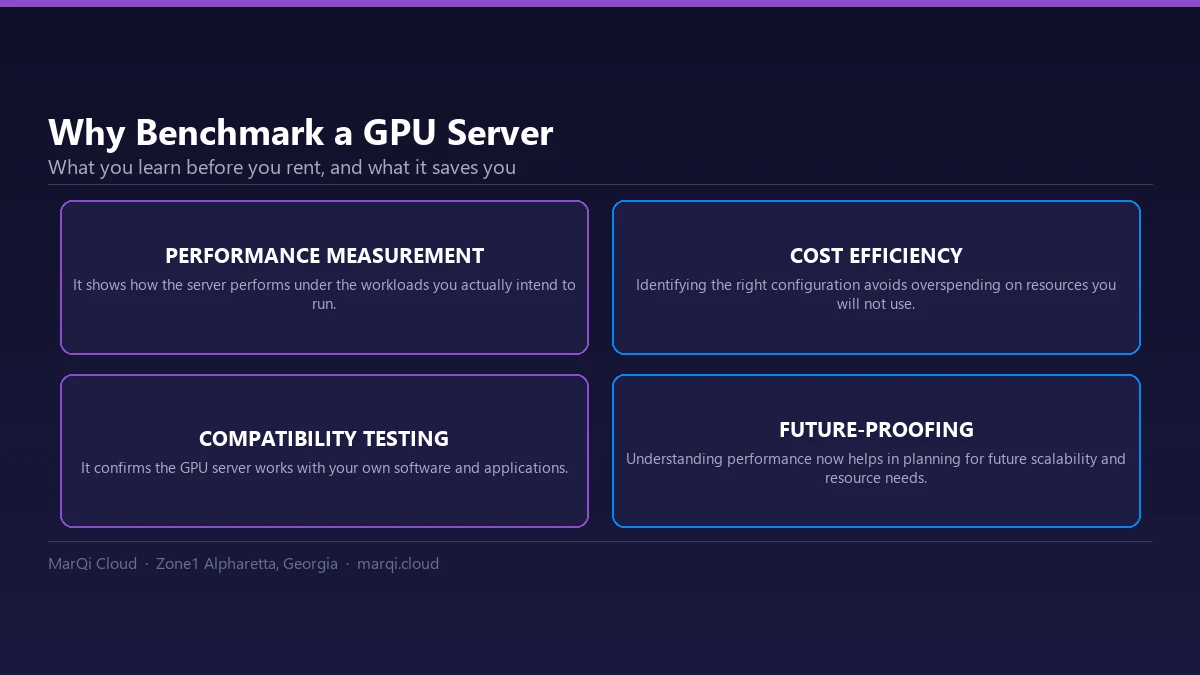
- Performance Measurement: It helps you understand the server’s performance under various workloads.
- Cost Efficiency: By identifying the right server configuration, you can avoid overspending on unnecessary resources.
- Compatibility Testing: Ensures that the GPU server works well with your software and applications.
- Future-Proofing: Understanding performance helps in planning for future scalability and resource needs.
Steps to Benchmark a GPU Server
Step 1: Define Your Benchmarking Goals
Before starting the benchmarking process, clearly define your goals. Consider the following questions:
- What types of workloads will you run on the server?
- What specific metrics are most important (e.g., speed, memory usage, power consumption)?
- What software applications will be used, and are there any specific requirements?
Step 2: Select the Right Benchmarking Tools
Choosing the right benchmarking tools is essential for obtaining accurate results. Some popular GPU benchmarking tools include:
- CUDA Toolkit: A collection of tools and libraries for developing applications using NVIDIA GPUs.
- Geekbench: A cross-platform benchmarking tool that measures CPU and GPU performance.
- TensorFlow Benchmark: Ideal for measuring performance in deep learning tasks.
- FurMark: A GPU stress testing and benchmarking tool that evaluates graphics performance.
Step 3: Establish a Standard Testing Environment
To ensure consistency in your benchmarking results, set up a standard testing environment. This includes:
- Using the same hardware and software configurations for all tests.
- Ensuring that no other applications are running that could affect performance.
- Keeping environmental factors like temperature and humidity stable.
Step 4: Run Synthetic Benchmarks
Synthetic benchmarks simulate various workloads to provide a clear performance metric. These tests typically stress the GPU to its limits. Run multiple synthetic benchmarks to gauge performance across different scenarios. Be sure to record the results for comparison.
Step 5: Conduct Real-World Testing
In addition to synthetic benchmarks, conduct real-world tests using applications typical of your workload. This will provide a more accurate representation of how the GPU server will perform in your specific context. If you are choosing between a data-center and a consumer card, start with A100 vs RTX 4090 for deep learning. Examples of real-world tests include:
- Running deep learning algorithms on TensorFlow or PyTorch.
- Rendering tasks using Blender or similar software.
- Processing large datasets in databases like MongoDB or Apache Spark.
Step 6: Analyze the Results
After completing the benchmarking tests, analyze the results to determine the server’s capability:
- Compare the performance metrics against your predefined goals.
- Identify any bottlenecks or underperforming components.
- Assess the overall efficiency and effectiveness of the GPU server.
Step 7: Evaluate Cost-Effectiveness
Once you have a clear understanding of the server’s performance, evaluate its cost-effectiveness:
- Compare the performance-to-cost ratio with other GPU servers.
- Consider the flexibility of pricing models offered by different providers.
- Take into account the potential for future scalability and additional costs.
Choosing the Right GPU Server Provider
After successfully benchmarking a GPU server, the next step is to choose the right provider. Look for the following characteristics:
- Enterprise-grade Infrastructure: Ensure the provider has a robust and reliable infrastructure.
- Hybrid Cloud Options: Flexibility in deployment models can enhance your operational efficiency.
- Security: Opt for a provider that offers private and secure hosting environments.
- US-based Support: Reliable, US-based support can provide peace of mind in case issues arise.
Conclusion
Benchmarking a GPU server before renting is a critical process that can save you time and resources in the long run. By following the steps outlined in this guide, you can ensure that the GPU server you choose meets your performance needs and supports your business goals. Remember to continuously monitor performance and make adjustments as necessary to maintain optimal efficiency.
FAQ
1. What is GPU benchmarking?
GPU benchmarking is the process of measuring the performance of a graphics processing unit (GPU) under various workloads to assess its capabilities.
2. Why is benchmarking important before renting a GPU server?
Benchmarking helps you ensure the server meets your specific performance requirements, avoids overspending, and confirms compatibility with your applications.
3. What tools are recommended for benchmarking GPU servers?
Some popular benchmarking tools include the CUDA Toolkit, Geekbench, TensorFlow Benchmark, and FurMark.
4. How do I conduct real-world testing?
Real-world testing involves running applications typical of your workload on the GPU server to evaluate its performance in real scenarios.
5. What metrics should I focus on during benchmarking?
Key metrics include processing speed, memory usage, power consumption, and efficiency under load.
6. How can I ensure a fair benchmarking process?
Establish a standard testing environment, run multiple tests, and keep hardware and software configurations consistent.
7. Can benchmarking help with future scalability?
Yes, understanding current performance can guide you in planning for future resource needs and scaling the infrastructure accordingly.
8. What should I consider when evaluating GPU server providers?
Look for enterprise-grade infrastructure, hybrid cloud options, security features, and reliable US-based support.
9. How often should I benchmark my GPU server?
It is advisable to benchmark your GPU server periodically, especially when workloads change or significant upgrades are made.
10. What is the difference between synthetic and real-world benchmarks?
Synthetic benchmarks simulate workloads to test performance, while real-world benchmarks use actual applications to measure performance in practical scenarios.