How to Build a Multi-Tier Application Architecture on Enterprise Cloud Infrastructure
July 10, 2026
Why Performance-Driven Infrastructure Design Outperforms One-Size-Fits-All Cloud Solutions
July 10, 2026
The Complete Guide to Cloud Compute Resource Planning for Business Workloads
In today’s digital landscape, effective cloud compute resource planning is crucial for businesses looking to optimize their workloads and drive efficiency. As organizations increasingly migrate to cloud infrastructure, understanding how to effectively allocate and manage compute resources can lead to significant cost savings and enhanced performance. This comprehensive guide delves into the intricacies of cloud compute resource planning, providing actionable insights and strategies for businesses of all sizes. By the end of this article, you will have a thorough understanding of how to plan, implement, and optimize your cloud compute resources to meet your business needs.
What is Cloud Compute Resource Planning?
Cloud compute resource planning involves the strategic allocation and management of computing resources within a cloud environment. This process ensures that businesses can efficiently run their applications and workloads while minimizing costs and maximizing performance. It encompasses various components, including compute power, storage, and networking resources, which must be carefully planned and optimized based on the specific needs of an organization.
Importance of Resource Planning in Cloud Computing
Effective resource planning is essential for several reasons:
- Cost Efficiency: Proper planning helps organizations avoid overspending on unused resources while ensuring that they have enough capacity to handle peak workloads.
- Performance Optimization: By aligning resources with business needs, companies can enhance application performance and user experience.
- Scalability: Resource planning allows businesses to scale their compute resources seamlessly as demand fluctuates, ensuring they can adapt to changing market conditions.
- Risk Management: A well-thought-out plan can mitigate risks associated with downtime, data loss, and resource shortages.
Key Concepts and Terminology
Understanding key concepts and terminology is vital for effective cloud compute resource planning. Here are some important terms:
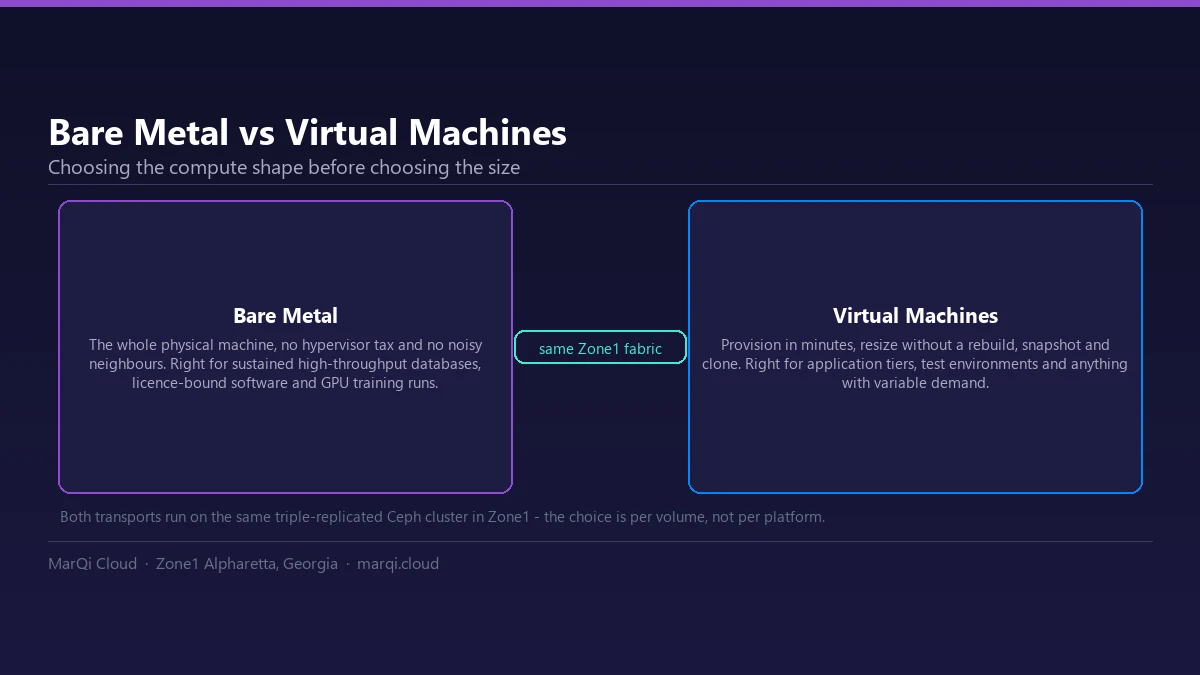
- Virtual Machines (VMs): Software emulations of physical computers that run applications and workloads in a cloud environment.
- Containers: Lightweight, portable units that package applications and their dependencies, allowing for more efficient resource utilization.
- Load Balancing: Distributing workloads across multiple resources to ensure no single resource is overwhelmed.
- Auto-Scaling: Automatically adjusting the number of active resources based on current demand, ensuring optimal performance and cost efficiency.
Steps in Cloud Compute Resource Planning
To effectively plan cloud compute resources, businesses should follow a structured approach:
1. Assess Business Needs
Begin by evaluating your organization’s specific requirements, including:
- Application types and workloads
- Expected traffic and user base
- Compliance and security requirements
2. Choose the Right Cloud Model
Decide on the most suitable cloud deployment model for your needs:
- Public Cloud: Resources are shared among multiple users and are typically more cost-effective.
- Private Cloud: Dedicated resources for a single organization, offering enhanced security and control.
- Hybrid Cloud: A combination of public and private clouds, allowing for flexibility and scalability.
3. Estimate Resource Requirements
Estimate the amount of compute, storage, and networking resources needed based on your assessment. Consider factors such as:
- Peak load scenarios
- Average usage patterns
- Future growth projections
4. Implement Monitoring Tools
Utilize monitoring tools to track resource usage and performance. These tools can provide valuable insights into how resources are being utilized and help identify areas for optimization.
5. Optimize and Adjust
Regularly review and adjust your resource allocation based on performance data and changing business needs. This iterative process ensures that your cloud environment remains aligned with your goals.
Best Practices for Optimizing Compute Resources
To maximize the effectiveness of your cloud compute resources, consider the following best practices:
- Leverage Automation: Use automation tools to streamline resource management and reduce manual interventions.
- Utilize Reserved Instances: Consider purchasing reserved instances for predictable workloads to save costs compared to on-demand pricing.
- Regularly Review Your Architecture: Periodically assess your cloud architecture to ensure it meets current business needs and industry standards.
- Implement a Multi-Cloud Strategy: Diversifying across multiple cloud providers can enhance resilience and performance.
Comparison of Cloud Compute Options
When planning your cloud compute resources, it’s essential to compare different options to find the best fit for your organization. Below is a comparison table of common cloud compute options:
| Option | Pros | Cons |
|---|---|---|
| Public Cloud | Cost-effective, scalable, no maintenance required | Less control, potential security risks |
| Private Cloud | Enhanced security, full control, customizable | Higher costs, requires maintenance |
| Hybrid Cloud | Flexibility, combines benefits of public and private | Complex management, potential integration issues |
| Multi-Cloud | Redundancy, avoids vendor lock-in | Increased complexity, potential higher costs |
Common Challenges in Resource Planning
While resource planning is essential, it comes with its own set of challenges, including:
- Over-Provisioning: Allocating too many resources can lead to unnecessary costs.
- Under-Provisioning: Insufficient resources can result in performance issues and downtime.
- Complexity: Managing multiple cloud environments can be complicated and require specialized skills.
- Visibility: Lack of visibility into resource usage can hinder effective planning and optimization.
Future Trends in Cloud Compute Resource Planning
The landscape of cloud computing is constantly evolving. Here are some future trends to watch:
- Increased Automation: More organizations will adopt automation tools for resource management, leading to improved efficiency.
- AI and Machine Learning: AI-driven analytics will enhance resource planning by predicting usage patterns and optimizing allocation.
- Sustainability: As companies focus on reducing their carbon footprint, eco-friendly cloud solutions will become more prevalent.
Frequently Asked Questions
1. What is cloud compute resource planning?
Cloud compute resource planning is the strategic allocation and management of computing resources in a cloud environment to optimize performance and cost-efficiency.
2. Why is resource planning important in cloud computing?
Resource planning is vital for ensuring cost efficiency, performance optimization, scalability, and risk management in cloud environments.
3. What are some common challenges in resource planning?
Common challenges include over-provisioning, under-provisioning, complexity in managing multiple environments, and lack of visibility into resource usage.
4. How can I optimize my cloud compute resources?
Optimize resources by leveraging automation, utilizing reserved instances, regularly reviewing your architecture, and implementing a multi-cloud strategy.
5. What are the different cloud models available?
The main cloud models are public cloud, private cloud, hybrid cloud, and multi-cloud, each with its own benefits and drawbacks.
6. What tools can help with cloud resource monitoring?
Tools such as AWS CloudWatch, Google Cloud Monitoring, and Azure Monitor provide valuable insights into resource usage and performance.
7. How does auto-scaling work in cloud environments?
Auto-scaling automatically adjusts the number of active resources based on current demand, ensuring optimal performance and cost efficiency.
8. What is the benefit of a multi-cloud strategy?
A multi-cloud strategy enhances resilience, avoids vendor lock-in, and allows organizations to leverage the strengths of multiple cloud providers.